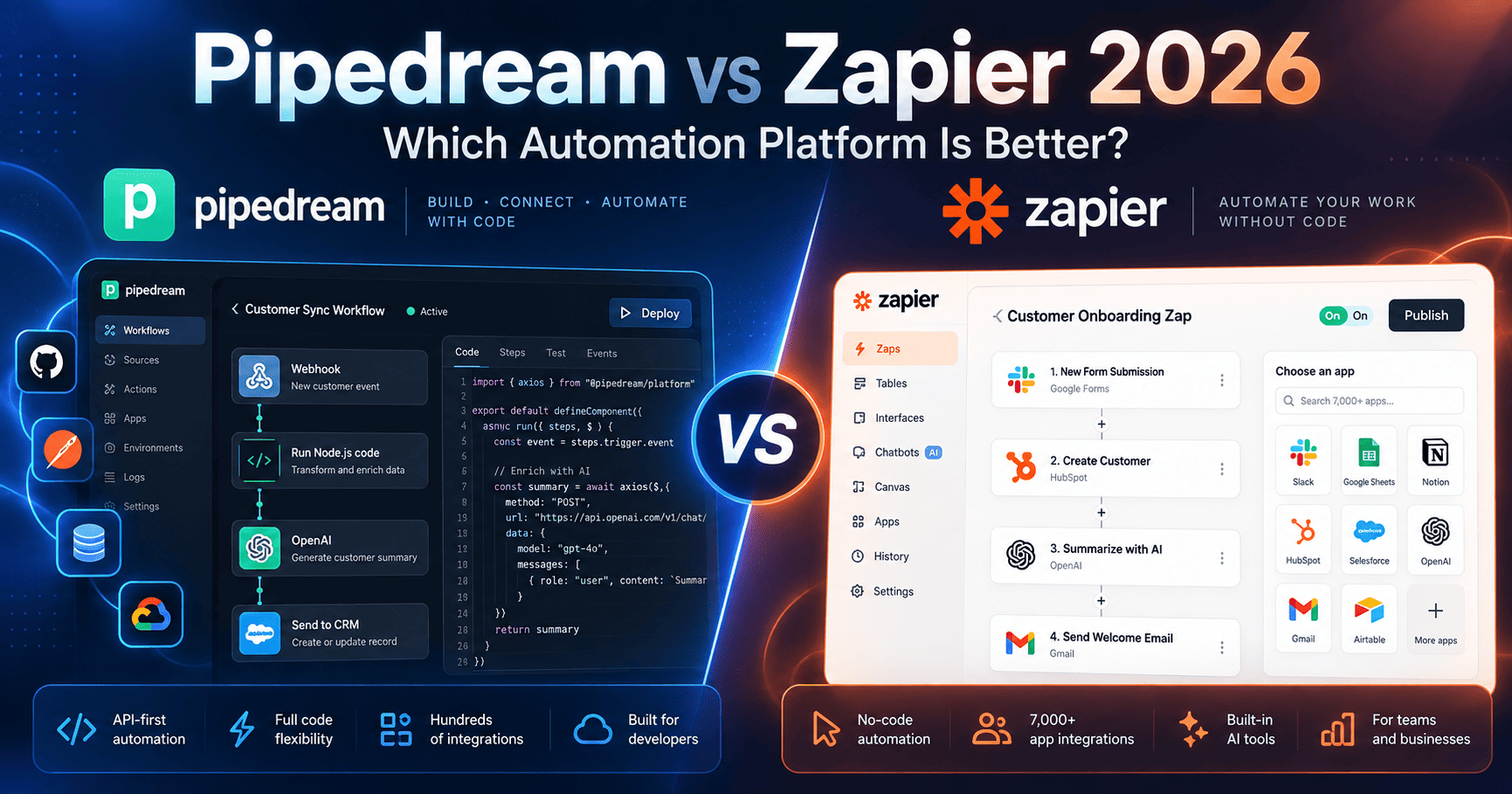
Pipedream and Zapier can both connect apps, automate repetitive work, trigger actions across SaaS tools, and increasingly serve as infrastructure for AI agents, but they are built around very different assumptions. Pipedream is developer-oriented and combines no-code steps with JavaScript, Python, Go, Bash, managed authentication, APIs, and MCP. Zapier is optimized for broad no-code adoption, a massive app ecosystem, business workflows, team collaboration, and AI orchestration across Zaps, Tables, Forms, MCP, and related tools.
This Pipedream vs Zapier 2026 comparison covers pricing models, free plans, integrations, workflow builders, code support, AI automation, MCP, APIs, team collaboration, governance, scalability, and the tradeoffs that matter most to developers, operators, marketers, and growing businesses.
Research note: pricing and product capabilities were checked against official Pipedream and Zapier sources in October 2026. Both platforms update usage models, AI pricing, task or credit rules, and enterprise packaging frequently, so verify live plan details before purchasing.
Quick Verdict
Choose Pipedream if your automations are developer-owned and need custom code, direct API access, managed authentication, or MCP tooling. Choose Zapier if business teams need faster no-code setup, a broader app ecosystem, and stronger collaboration and governance. The main tradeoff is technical flexibility and developer control versus ease of adoption and ecosystem breadth.
Best for: Pipedream → developers, technical teams, API-heavy workflows, custom logic, and agent integrations.
Best for: Zapier → business teams, operations, marketing, sales, and broad no-code automation.
Pipedream vs Zapier 2026: Quick Comparison
| Area | Pipedream | Zapier |
|---|---|---|
| Core approach | Developer-friendly automation and integration platform with code-level control | No-code automation and AI orchestration platform for broad business use |
| Free option | Free plan with daily credit limits and development access to Connect | Free forever with 100 tasks per month |
| Billing model | Credits based primarily on workflow compute time and memory; paid plans include a base credit allocation | Task-based billing across workflows, AI, MCP, and other platform usage |
| Integrations | 3,000+ APIs/apps and 10,000+ tools across its Connect/MCP ecosystem | 9,000+ apps and 40,000+ actions through Zapier MCP and platform integrations |
| Code | JavaScript, Python, Go, and Bash inside workflows | No-code first, with code and SDK options available when needed |
| MCP | Hosted MCP and Connect tooling for developers and agents | Zapier MCP available across plans, with tool calls consuming tasks |
| Best fit | Developers, technical teams, API-heavy workflows, custom logic, agent integrations | Business users, operations, marketing, sales, cross-functional teams, large no-code ecosystems |
Compare current automation plans
Ready to compare pricing? Review the latest task or credit limits, integrations, MCP access, collaboration, code support, and enterprise controls directly from each provider.
What Is Pipedream?
Pipedream is an automation and integration platform designed for workflows that connect APIs, SaaS products, databases, and AI agents. It combines prebuilt triggers and actions with serverless code steps, managed authentication, API proxying, MCP, and developer tooling.
Pipedream is particularly attractive when a workflow starts visually but eventually needs custom logic, npm or Python packages, raw API calls, complex data transformation, or tighter control over execution behavior.
What Is Zapier?
Zapier is a no-code automation and AI orchestration platform that connects thousands of business applications. Its platform includes Zap workflows, Tables, Forms, MCP, SDK access, built-in AI tools, and collaboration features.
Zapier’s main advantage is accessibility. Non-technical teams can build useful automations quickly, while larger organizations can add shared workspaces, permissions, SSO, observability, and enterprise controls as their automation footprint grows.
Pipedream vs Zapier Pricing in 2026
The two platforms meter usage differently, so direct plan-price comparisons can be misleading. Zapier uses tasks. Pipedream uses credits tied to compute and execution characteristics.
| Platform / Plan | Current pricing reference | Usage model |
|---|---|---|
| Pipedream Free | $0 | Daily free-credit limit, limited active workflows and connected accounts |
| Pipedream Paid Plans | See live pricing | Platform fee includes a base credit allocation; additional credits are billed when usage exceeds the included amount |
| Zapier Free | $0/month | 100 tasks/month, two-step Zaps, unlimited Zap workflows, Tables, and Forms |
| Zapier Professional | From $19.99/month | Multi-step Zaps, premium apps, webhooks, AI fields, and advanced workflow features |
| Zapier Team | From $69/month | Up to 25 users, shared Zaps, shared app connections, SAML SSO, priority support |
| Zapier Enterprise | Custom | Unlimited users, advanced admin controls, deployment options, observability, annual task limits |
Pricing note: Pipedream’s live paid-plan prices and included-credit allowances can vary by tier and account context, so this article intentionally does not hard-code a paid subscription price. Zapier’s published starting prices are shown above, but task tiers, annual billing, overages, and AI usage can change total cost.
How Pipedream Credits Work
Pipedream Workflows uses a compute-based credit system. At the default 256MB memory allocation, one workflow segment uses one credit for each 30 seconds of compute time. Increasing memory raises credit consumption, and branching or delays can create additional workflow segments.
Pipedream does not generally charge based on the raw number of workflow steps, and development or test runs in the workflow builder do not consume execution credits. This model can be attractive for workflows with many lightweight steps but relatively little compute.
How Zapier Tasks Work
Zapier counts successful units of work as tasks. Standard automation actions consume tasks, while AI steps can consume different amounts depending on model tier and tool usage. In 2026, Zapier introduced model-based task multipliers for AI steps, with standard, advanced, and premium tiers carrying different task costs.
Zapier MCP also draws from the same task pool. Each successful MCP tool call currently uses two tasks, while failed calls do not consume tasks.
Workflow Builder and Ease of Use
Zapier is easier for most non-technical users. The workflow builder is designed around triggers, actions, conditions, paths, filters, AI steps, Tables, and Forms without requiring code for standard business automation.
Pipedream also supports no-code actions, but its interface assumes users may want to inspect payloads, write expressions, call APIs, or drop into code. That makes it more powerful for technical users but less immediately approachable for a non-technical operations team.
Code and Developer Flexibility
Pipedream is substantially more developer-centric. Workflows can run custom JavaScript, Python, Go, or Bash, and developers can import packages and work directly with API responses inside the automation.
Zapier offers code steps and an SDK, but coding is supplementary to the core no-code experience. For teams that want automation to behave more like a lightweight serverless integration environment, Pipedream provides the more natural development model.
Integrations and App Ecosystem
Zapier has the broader off-the-shelf business integration catalog. Its current platform and MCP documentation advertise more than 9,000 apps and more than 40,000 actions, covering a very large share of mainstream SaaS tools.
Pipedream’s current Connect registry lists more than 3,000 apps/APIs and more than 10,000 tools. The smaller catalog is balanced by stronger direct API access, code steps, managed authentication, and the ability to work around missing prebuilt actions programmatically.
MCP and AI Agent Workflows
Pipedream has positioned Connect and MCP as infrastructure for developers building AI agents. Its hosted MCP tooling can expose thousands of APIs and tools while Pipedream handles authentication and account connections. Development-mode access is available before moving into production Connect usage.
Zapier MCP is oriented toward letting AI assistants act across the user’s existing Zapier app connections. It is available across Zapier plans and exposes Zapier’s large app ecosystem to compatible MCP clients. Successful tool calls currently consume two tasks from the account’s shared task allowance.
AI Automation
Zapier increasingly treats AI as part of the core automation platform. AI steps, model tiers, AI fields, MCP, agents, and orchestration tools sit alongside conventional Zaps, Tables, and Forms.
Pipedream’s AI story is more developer-infrastructure-oriented. It gives agents access to managed authentication, APIs, tools, and code-driven workflow execution rather than centering the product around a single no-code AI assistant experience.
APIs and Embedded Integrations
Pipedream Connect is a major differentiator for developers who want to add integrations to their own applications or AI agents. It supports managed authentication, actions, triggers, API proxying, MCP tooling, and external-user account connections.
Zapier also offers developer and embedded automation capabilities through its SDK and broader platform, but its strongest brand advantage remains the ability for end users and internal teams to automate existing SaaS tools quickly.
Testing and Development Workflow
Pipedream does not charge workflow execution credits for development and test events in the builder, which is useful when iterating on technical workflows. Developers can inspect event payloads and test individual steps before deployment.
Zapier provides testing and debugging inside its builder as well, but its cost model is centered on tasks once automations are running. Teams evaluating heavy AI or MCP usage should pay particular attention to how those calls consume the shared task pool.
Team Collaboration
Zapier Team is purpose-built for shared business automation. It includes up to 25 users, shared workflows and folders, shared app connections, SAML SSO, and priority support.
Pipedream supports team workspaces and collaborative development, but its value proposition is less about business-user collaboration and more about giving technical teams a shared integration and workflow environment.
Security and Enterprise Governance
Zapier Enterprise adds advanced admin permissions, app controls, deployment options, observability, annual task limits, and technical account management. This is useful for organizations standardizing no-code automation across many departments.
Pipedream emphasizes secure managed authentication and developer infrastructure, with security certifications and enterprise controls for teams embedding or operating integrations at scale. The relevant governance requirements should be matched to the specific Workflows, Connect, or enterprise product being evaluated.
Pipedream Pros and Tradeoffs
- Pros: Strong code support; direct API flexibility; managed authentication; MCP and Connect tooling; free development/testing; compute-based workflow billing; developer-friendly debugging.
- Tradeoffs: Steeper learning curve for non-technical users; smaller prebuilt app catalog than Zapier; pricing is less intuitive for users unfamiliar with compute credits and workflow segments.
Zapier Pros and Tradeoffs
- Pros: 9,000+ apps; approachable no-code builder; strong business adoption; Tables and Forms included; MCP across plans; team collaboration; enterprise governance.
- Tradeoffs: Task usage can rise quickly in multi-step, AI-heavy, or MCP-heavy workflows; less natural for deeply custom code-first automation; premium usage tiers can become expensive at scale.
Pipedream Is a Strong Fit When…
- Your workflows frequently need custom JavaScript, Python, Go, or Bash.
- You work directly with APIs or uncommon services.
- You are building AI agents that need managed authentication and tool access.
- You want serverless-style automation without managing infrastructure.
- Your team includes developers or technically comfortable operators.
- You need more control over payloads, execution logic, and API behavior.
Pipedream looks like a fit? Check the live pricing page for current platform fees, included credits, workflow limits, Connect options, and production usage terms.
Zapier Is a Strong Fit When…
- Your users are primarily business operators rather than developers.
- You want the broadest possible catalog of prebuilt SaaS integrations.
- You need teams to build and maintain automations without engineering support.
- You want Zaps, Tables, Forms, and MCP in one business automation platform.
- You need shared app connections, SSO, and centralized administration.
- You prefer task-based pricing that maps directly to completed automation actions.
Zapier looks like a fit? Compare the current Free, Professional, Team, and Enterprise plans, task allowances, MCP usage, app access, and collaboration features directly from Zapier.
Pipedream vs Zapier for Developers
Pipedream is usually the more natural fit for developers because code is a first-class part of the workflow model. API calls, package imports, custom transformations, and programmatic logic can live beside prebuilt actions without leaving the automation environment.
Zapier remains valuable for developers who need quick access to a huge integration catalog, but the platform is optimized first for no-code orchestration rather than custom application logic.
Pipedream vs Zapier for Business Teams
Zapier has the stronger default experience for sales, marketing, operations, customer success, and other business teams. Its visual builder, prebuilt integrations, shared workflows, and business-facing product suite reduce the need for technical support.
Pipedream can still work well for technically capable operations teams, particularly when their automations regularly hit the limits of conventional no-code tools.
Pipedream vs Zapier for AI Agents
Pipedream is particularly compelling when developers are building agents that need managed auth, external-user connections, API proxying, and MCP tools inside their own product architecture.
Zapier is particularly compelling when the goal is to give an existing AI assistant access to a very large set of business applications using connections the user already manages through Zapier.
Alternatives to Pipedream and Zapier
If neither platform matches your workflow, compare Pipedream vs n8n 2026, n8n vs Zapier 2026, or n8n vs Make 2026, or Make vs Zapier 2026. You can also read our individual Pipedream Review 2026 and Zapier Review 2026.
Pipedream vs Zapier 2026 FAQ
Is Pipedream cheaper than Zapier?
Not necessarily. The platforms meter usage differently. Pipedream bills workflow usage through compute-based credits, while Zapier uses tasks. A short but complex workflow may price very differently from a long-running compute-heavy workflow, so the correct comparison depends on execution volume and workflow design.
Does Pipedream have a free plan?
Yes. Pipedream offers a free plan with daily credit limits, limited active workflows and connected accounts, plus development access to Pipedream Connect.
Does Zapier have a free plan?
Yes. Zapier Free currently includes 100 tasks per month, unlimited Zap workflows, Tables and Forms, and two-step Zaps.
Which has more integrations?
Zapier has the larger published catalog, with more than 9,000 apps. Pipedream’s current registry spans more than 3,000 apps and APIs, with strong developer tooling for calling services directly when a prebuilt action is unavailable.
Which is better for coding?
Pipedream is more code-centric and supports JavaScript, Python, Go, and Bash as first-class workflow steps. Zapier supports code and SDK workflows but remains primarily a no-code automation platform.
Do Pipedream and Zapier support MCP?
Yes. Pipedream provides hosted MCP tooling tied to its Connect ecosystem for developers and agents. Zapier MCP is available across Zapier plans and currently charges two tasks for each successful tool call.
Which is better for non-technical teams?
Zapier is generally easier for non-technical teams because its product is designed around visual no-code automation and a very large catalog of prebuilt business-app actions. Pipedream is more attractive when technical flexibility matters more than simplicity.
Pipedream vs Zapier 2026: Final Takeaway
Pipedream is particularly strong for developers and technical teams that want code-level control, direct API access, managed authentication, MCP tooling, and flexible workflow execution without managing servers.
Zapier is particularly strong for business teams that want the broadest app ecosystem, fast no-code automation, shared workflows, AI orchestration, and centralized team or enterprise management.
The practical choice depends on who will maintain the automation. Developer-owned systems often benefit from Pipedream’s flexibility, while business-owned automation programs often benefit from Zapier’s accessibility and ecosystem breadth.
Check current pricing before choosing
Automation pricing changes frequently, especially task rates, credits, AI usage, MCP billing, and enterprise packaging. Verify the live plan pages before purchasing.
Continue researching: Pipedream vs n8n 2026 | n8n vs Zapier 2026 | Pipedream Review 2026 | Zapier Review 2026
Official resources: Pipedream pricing | Pipedream pricing documentation | Pipedream Workflows | Pipedream MCP | Zapier pricing | Zapier MCP usage