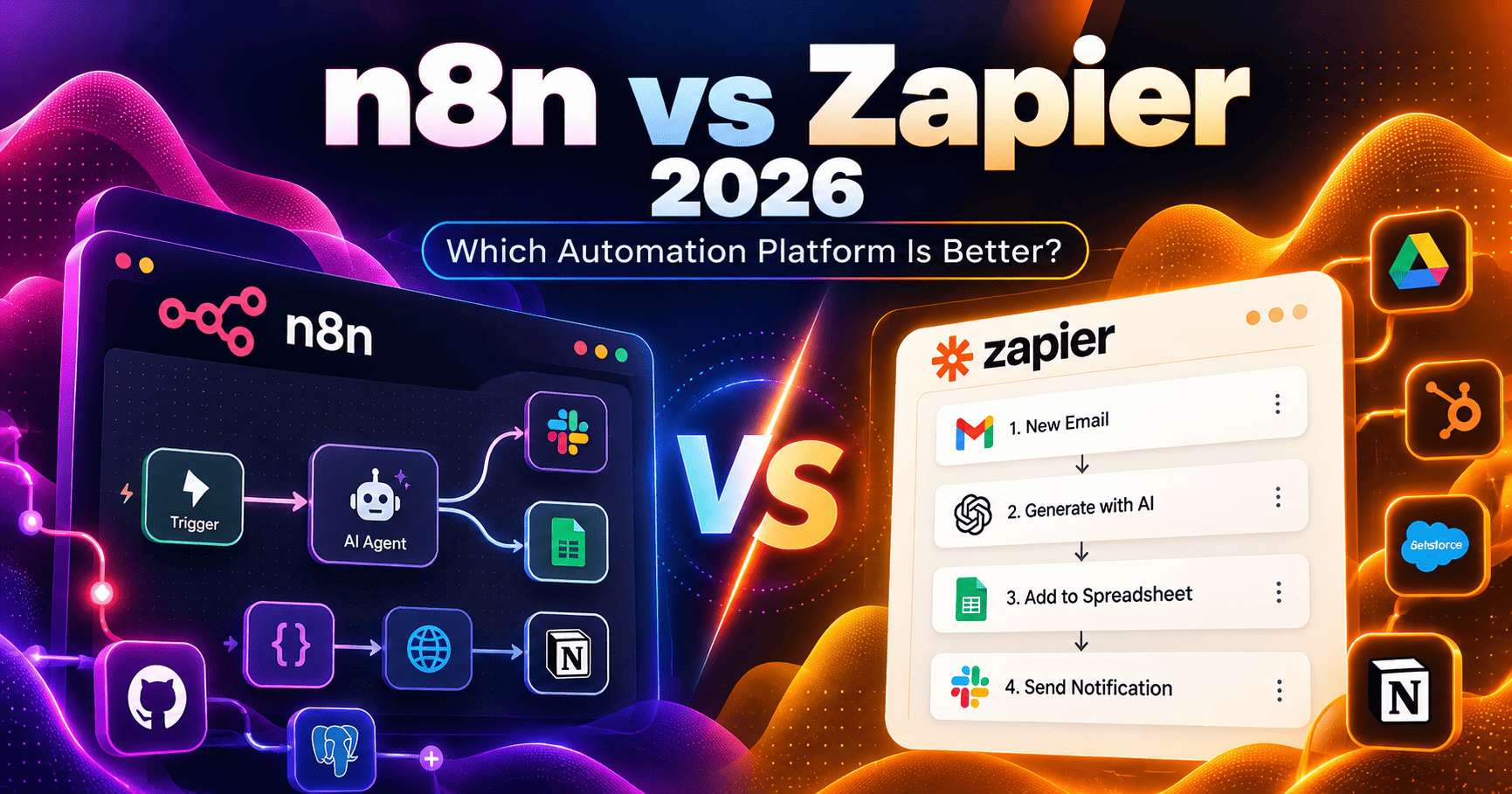
n8n and Zapier both automate work across business apps, APIs, data, and AI, but they approach automation from very different directions. n8n gives technical teams more control over workflow logic, code, data handling, AI agents, deployment, and self-hosting. Zapier focuses on fast no-code automation, a much larger app ecosystem, polished business workflows, and an increasingly broad AI orchestration platform.
This n8n vs Zapier 2026 comparison covers pricing, executions vs tasks, integrations, ease of use, AI workflows, agents, MCP, self-hosting, customization, collaboration, governance, and the tradeoffs that matter most for creators, operations teams, developers, and growing businesses.
Research note: pricing and product capabilities were checked against current official n8n and Zapier sources in September 2026. Both platforms update task rules, execution limits, AI products, integrations, and enterprise features frequently, so verify final terms before purchasing.
n8n vs Zapier 2026: Quick Verdict
Choose n8n if you need self-hosting, complex workflow logic, deeper API and code control, or execution-based pricing for multi-step automations. Choose Zapier if you prioritize fast no-code setup, broader ready-made app coverage, and easier adoption by non-technical teams.
Best for n8n: developers and technical teams building complex, API-heavy, or AI-driven automation.
Best for Zapier: business teams that want quick automation across a very large SaaS ecosystem with less technical setup.
n8n vs Zapier 2026: Quick Comparison
| Area | n8n | Zapier |
|---|---|---|
| Core approach | Flexible workflow automation and AI orchestration for technical teams, with Cloud and self-hosted deployment | No-code AI orchestration platform centered on fast automation across business apps |
| Free option | 14-day Cloud trial plus self-hosted Community Edition under n8n’s Sustainable Use License | Free forever with 100 tasks/month and two-step Zaps |
| Entry paid plan | Starter: €20/month billed annually for 2,500 workflow executions | Professional: starts at $19.99/month billed annually; baseline 750 tasks/month |
| Billing unit | Complete workflow executions, regardless of number of steps | Tasks completed by workflow actions; some AI and code usage can consume multiple tasks |
| Integrations | 1,000+ apps/services plus HTTP/API flexibility and custom/community nodes | 9,000+ apps in the broader Zapier integration ecosystem |
| AI | AI Agent nodes, AI workflow tools, AI Assistant/Builder, model flexibility, self-hosted/BYOK options | AI by Zapier, Copilot, Agents, MCP, Tables, Forms, Canvas, and AI-enabled workflow tools |
| Self-hosting | Yes, including Community Edition and paid self-hosted Business/Enterprise options | No general self-hosted deployment option for the core platform |
| Ease of use | More technical and flexible | More approachable for non-technical users |
| Best fit | Developers and technical teams needing control, complex logic, AI agents, APIs, or self-hosting | Business users and cross-functional teams prioritizing speed, app coverage, and lower setup complexity |
Compare current plans
Ready to compare pricing? Review the latest execution limits, task allowances, AI features, and plan terms directly from each provider.
What Is n8n?
n8n is a fair-code workflow automation platform that combines visual automation, APIs, code, data transformation, AI tools, and self-hosted deployment.
n8n is especially attractive to technical teams because workflows can mix no-code nodes with JavaScript, APIs, custom logic, credentials, webhooks, databases, AI models, vector stores, and self-hosted infrastructure. The platform can run in n8n Cloud or on infrastructure controlled by the organization.
For a deeper platform analysis, see our n8n Review 2026.
What Is Zapier?
Zapier is a no-code automation and AI orchestration platform that connects thousands of business apps through automated workflows called Zaps.
Zapier has expanded well beyond simple trigger-action automation. Its platform now includes Zaps, Tables, Forms, Canvas, MCP, AI by Zapier, code steps, developer tools, Agents, and enterprise governance features.
See our Zapier Review 2026 for a broader look at the platform.
n8n vs Zapier Pricing in 2026
The biggest pricing difference is not simply the monthly subscription. It is what each platform counts as usage.
| Platform / Plan | Published price reference | Included usage / note |
|---|---|---|
| n8n Community Edition | No n8n subscription fee | Self-hosted; subject to Sustainable Use License and infrastructure costs |
| n8n Starter | €20/month billed annually | 2,500 workflow executions; unlimited steps, users, workflows, integrations |
| n8n Pro | €50/month billed annually | 10,000 executions; more concurrency, projects, insights, AI credits, admin features |
| n8n Business | €667/month billed annually | 40,000 executions; self-hosted; SSO, environments, Git version control, scaling |
| n8n Enterprise | Custom | Custom execution volume; Cloud or self-hosted; advanced governance and support |
| Zapier Free | $0/month | 100 tasks/month; unlimited Zaps but two-step workflows |
| Zapier Professional | Starts at $19.99/month billed annually | Baseline 750 tasks/month; multi-step Zaps, premium apps, webhooks |
| Zapier Team | Starts at $69/month billed annually | Baseline 2,000 tasks/month; up to 25 users, shared workflows and app connections, SAML SSO |
| Zapier Enterprise | Custom | Unlimited users, advanced controls, observability, annual task limits, enterprise support |
Pricing note: n8n currently publishes European Cloud pricing in euros and bills based on workflow executions. Zapier publishes U.S. pricing in dollars and allows higher task tiers than the baseline allowances shown above. Currency, taxes, task tiers, execution packages, overages, and promotions can change.
Executions vs Tasks: The Most Important Difference
n8n defines an execution as one complete run of a workflow. A two-step workflow and a much larger workflow can each count as one execution, even when the longer workflow processes many nodes or steps.
Zapier defines a task as work successfully completed by an action in a Zap. A multi-step workflow can therefore consume multiple tasks when several billable actions run. Some built-in logic steps do not consume tasks, but AI, code, MCP, and other usage can follow additional task rules.
This difference matters most in complex automations. A long n8n workflow can still count as a single execution, while an equivalent Zap may consume several tasks each time it runs. On the other hand, Zapier’s task model can be easier to understand when workflows are short and action-oriented.
Free Plans and Self-Hosting
Zapier offers a permanent Free plan with 100 tasks per month, unlimited Zaps, Tables and Forms, but Zaps are limited to two steps.
n8n Cloud uses a free trial rather than a permanent hosted free tier. However, n8n also provides a Community Edition that can be self-hosted without an n8n subscription fee for permitted use cases under its Sustainable Use License.
Self-hosting is a major differentiator. Teams can deploy n8n through Docker, npm, or other supported infrastructure and control where workflow data is stored. That flexibility also means the organization becomes responsible for maintenance, upgrades, security, uptime, backups, and infrastructure costs.
Integrations: Zapier Has the Larger App Ecosystem
Zapier currently documents more than 9,000 apps across its integration ecosystem. That breadth is one of its strongest advantages for non-technical teams because many business tools can be connected with prebuilt triggers and actions without creating custom API logic.
n8n advertises 1,000+ apps and services and supplements its integration catalog with HTTP Request, custom nodes, community nodes, webhooks, databases, code, and API-level flexibility.
Zapier has the advantage when the goal is finding a ready-made connector quickly. n8n becomes especially capable when a technical team is comfortable working directly with APIs or building around systems that do not have a complete native integration.
Workflow Builder and Ease of Use
Zapier is designed to make automation approachable. Users choose a trigger, add actions, configure fields, and use built-in tools such as Filters, Paths, Formatter, Tables, Forms, and AI assistance. Copilot can also help users build workflows from natural-language descriptions.
n8n uses a visual node-based canvas that exposes more workflow structure and data flow. It supports branching, merging, loops, code, expressions, custom data transformations, APIs, sub-workflows, error handling, and more technical control.
Zapier generally has the shorter learning curve. n8n offers greater flexibility once users are comfortable with workflow logic, JSON-style data, APIs, and technical debugging.
AI Workflows: n8n vs Zapier
Both platforms now treat AI as a core part of automation rather than a simple add-on.
n8n supports AI Agent nodes, language models, memory, tools, vector stores, embeddings, retrievers, human-in-the-loop steps, and model-connected workflows. Technical teams can choose models and providers, bring their own API credentials, and combine AI reasoning with APIs, databases, business logic, and self-hosted infrastructure.
Zapier integrates AI across Copilot, AI by Zapier, Tables, Forms, Zaps, MCP, Canvas, Agents, and other platform features. Its advantage is making AI actions accessible across an extremely large business-app ecosystem without requiring teams to build every connector themselves.
AI Pricing and Usage
n8n Cloud plans include monthly AI Assistant credits in addition to workflow executions. Starter currently includes 2,300 AI Assistant credits per month, while Pro includes a larger allowance depending on plan size. Self-hosted n8n can use bring-your-own-key configurations for AI models.
AI by Zapier now uses model tiers that affect task usage. Standard AI usage is billed at a 1x task multiplier, Advanced at 3x, and Premium at 5x. Connecting your own AI account can reduce the Zapier-side multiplier to 1x for supported configurations, although external model-provider charges still apply.
n8n AI Agents vs Zapier Agents
n8n builds agentic behavior inside the workflow canvas. An AI Agent can use connected tools, models, memory, data sources, APIs, and human approval steps as part of a larger automation.
Zapier is migrating its standalone Agents product into AI by Zapier. Agent prompts, tool calling, reasoning, and autonomous actions can now run inside an AI by Zapier step within a normal Zap, alongside triggers, filters, Paths, and other deterministic automation steps.
The structural difference is important: n8n tends to make the agent one component inside a highly customizable workflow, while Zapier packages Agents as a distinct AI teammate experience alongside the broader Zapier automation platform.
MCP and AI Tool Access
Zapier MCP is now included across core Zapier plans and lets compatible AI clients take actions through Zapier-managed app connections. Zapier’s current MCP documentation states access to more than 9,000 apps and 40,000 actions through this layer.
n8n also supports Model Context Protocol within its AI and integration ecosystem, giving technical teams ways to connect MCP-compatible tools and build agentic workflows around their own logic and infrastructure.
Zapier’s strength is the breadth and convenience of managed actions. n8n’s strength is the ability to incorporate MCP into custom, self-hosted, API-heavy, and technically controlled automation architectures.
Code, APIs, and Custom Logic
n8n is designed to move comfortably between visual automation and technical implementation. Code nodes, expressions, custom nodes, HTTP requests, webhooks, databases, file handling, and API calls are normal parts of the platform.
Zapier also supports webhooks, code, its SDK, MCP, developer integrations, and custom logic. Professional unlocks webhooks and premium apps, while code usage follows Zapier’s current task and runtime rules.
For developers who want to treat automation as programmable infrastructure, n8n generally exposes more control. Zapier is better suited when custom logic is needed occasionally inside an otherwise no-code workflow.
Collaboration and Team Features
n8n Cloud Starter includes one shared project, while Pro adds three shared projects, admin roles, global variables, workflow history, execution search, and higher concurrency. Business adds SSO, environments, Git-based version control, scaling options, and other administrative features.
Zapier Team supports up to 25 users, shared Zaps, shared folders, shared app connections, user roles, SAML SSO, and priority support. Enterprise expands into unlimited users, advanced app controls, observability, deployment controls, and more detailed administration.
Security, Governance, and Data Control
n8n’s self-hosting option gives organizations direct control over deployment location, infrastructure, databases, network configuration, credentials, and data residency. Higher paid plans add enterprise features such as SSO, external secrets, log streaming, environments, and extended retention.
Zapier Enterprise focuses on governance inside a managed SaaS environment, including app controls, advanced permissions, observability, technical account management, and deployment-related controls.
Organizations with strict infrastructure requirements may value n8n’s self-hosted architecture. Organizations that want enterprise administration without operating automation infrastructure themselves may prefer Zapier’s managed model.
n8n Pros and Tradeoffs
- Pros: Charges by full workflow execution; self-hosting; Community Edition; unlimited steps on paid plans; strong API and code flexibility; AI Agent tooling; model flexibility; data control; custom nodes.
- Tradeoffs: Higher learning curve; smaller native integration catalog than Zapier; self-hosting requires infrastructure and maintenance; advanced governance features require higher plans.
Zapier Pros and Tradeoffs
- Pros: 9,000+ app ecosystem; fast no-code setup; permanent free tier; polished business workflows; Tables, Forms and MCP included; strong collaboration; Agents; enterprise governance.
- Tradeoffs: Task-based billing can become expensive for high-volume multi-action workflows; no general self-hosted core platform; advanced AI and code usage can consume additional tasks; less low-level control than n8n.
n8n Is a Strong Fit When…
- You need complex multi-step automations where per-step billing would become expensive.
- Your team is comfortable with APIs, JSON, code, webhooks, databases, or technical debugging.
- You want self-hosting or greater control over infrastructure and data.
- You are building sophisticated AI workflows or agents with custom tools and models.
- You need custom integrations or direct API access beyond standard app connectors.
- You want automation that can function as part of a broader technical architecture.
n8n looks like a fit? Check current workflow execution limits, AI credits, Cloud plans, self-hosted options, and enterprise features directly from n8n.
Zapier Is a Strong Fit When…
- You want to automate business apps with minimal technical setup.
- You need access to a very large catalog of ready-made integrations.
- Your workflows are mainly business operations, marketing, sales, support, or productivity automations.
- You want Tables, Forms, Zaps, MCP, and AI tooling in one managed platform.
- Your team values collaboration without maintaining automation infrastructure.
- You want non-technical users to build and maintain automations themselves.
Zapier looks like a fit? Compare current task tiers, Team features, Agents, MCP access, and AI usage rules directly from Zapier.
n8n vs Zapier for Small Businesses
Zapier is often easier for a small business that wants to connect common SaaS tools quickly without technical administration. The Free plan also provides a permanent starting point for low-volume workflows.
n8n becomes attractive when a small business has technical capability, needs more complex workflows, wants self-hosting, or expects execution-based pricing to work better than paying for many individual tasks.
n8n vs Zapier for Developers
n8n is generally more developer-oriented. It exposes data structures, APIs, code, expressions, webhooks, databases, custom nodes, AI tools, and deployment choices more directly.
Zapier still offers meaningful developer capabilities through code steps, webhooks, MCP, SDK tooling, and custom integrations, but its core experience remains optimized for managed no-code automation.
n8n vs Zapier for AI Automation
n8n is compelling when AI needs to be deeply embedded inside custom workflows with multiple models, APIs, databases, tools, memory, agents, and human approval steps.
Zapier is compelling when the priority is giving AI immediate access to a broad set of business applications through managed connectors, MCP, Copilot, AI by Zapier, or dedicated Agents.
Alternatives to n8n and Zapier
If neither platform is the right fit, compare n8n vs Make 2026 or Make vs Zapier 2026. Developers who prefer code-first integration infrastructure can also read our Pipedream Review 2026, while teams evaluating Make directly can see our Make Review 2026.
n8n vs Zapier 2026 FAQ
Which is cheaper, n8n or Zapier?
It depends on workflow structure and volume. n8n Starter is €20 per month billed annually for 2,500 complete workflow executions, while Zapier Professional starts at $19.99 per month billed annually with a baseline 750 tasks. n8n can be more economical for long multi-step workflows because it counts complete executions rather than each successful action as a separate billing unit.
Does n8n have a free plan?
n8n Cloud offers a free trial rather than a permanent hosted free plan. n8n also provides a self-hosted Community Edition without an n8n subscription fee for use cases permitted by its Sustainable Use License.
Does Zapier have a free plan?
Yes. Zapier Free currently includes 100 tasks per month, unlimited Zap workflows, Tables, and Forms. Zaps on the Free plan are limited to two steps.
Which has more integrations?
Zapier has the larger ready-made app ecosystem, with more than 9,000 apps documented across the platform. n8n advertises 1,000+ apps and services but gives technical users additional flexibility through HTTP requests, APIs, custom nodes, and community integrations.
Can I self-host n8n?
Yes. Self-hosting is one of n8n’s defining features. The Community Edition can be self-hosted for permitted use cases, while Business and Enterprise add more advanced self-hosted collaboration, governance, and scaling capabilities.
Which is easier to use?
Zapier is generally easier for non-technical users because of its guided no-code workflow experience and large catalog of prebuilt app actions. n8n has a steeper learning curve but gives technical teams more control over logic, data, APIs, and deployment.
Which is better for AI agents?
n8n is well suited to building highly customized agents inside larger technical workflows. Zapier is well suited to deploying AI agents and MCP-driven actions across a very large ecosystem of managed business integrations. The better fit depends on whether your priority is technical control or integration convenience.
n8n vs Zapier 2026: Final Takeaway
n8n is particularly well suited to developers and technical teams that need complex workflow logic, execution-based pricing, self-hosting, custom integrations, and deeper control over AI automation.
Zapier is particularly well suited to business teams that prioritize fast no-code automation, a much larger catalog of ready-made integrations, managed infrastructure, and an increasingly complete AI orchestration platform.
The practical choice comes down to operating style: choose n8n when control and technical flexibility matter most; choose Zapier when speed, app coverage, and accessibility for non-technical teams are the priority.
Check current plans before choosing
Execution limits, task pricing, AI usage, Agents, MCP features, integrations, and self-hosted licensing can change. Review the latest plan details before making a purchase decision.
Continue researching: n8n Review 2026 | Zapier Review 2026 | n8n vs Make 2026 | Make vs Zapier 2026 | Pipedream Review 2026
Official resources: n8n pricing | n8n integrations | n8n documentation | Zapier pricing | Zapier MCP | AI by Zapier pricing