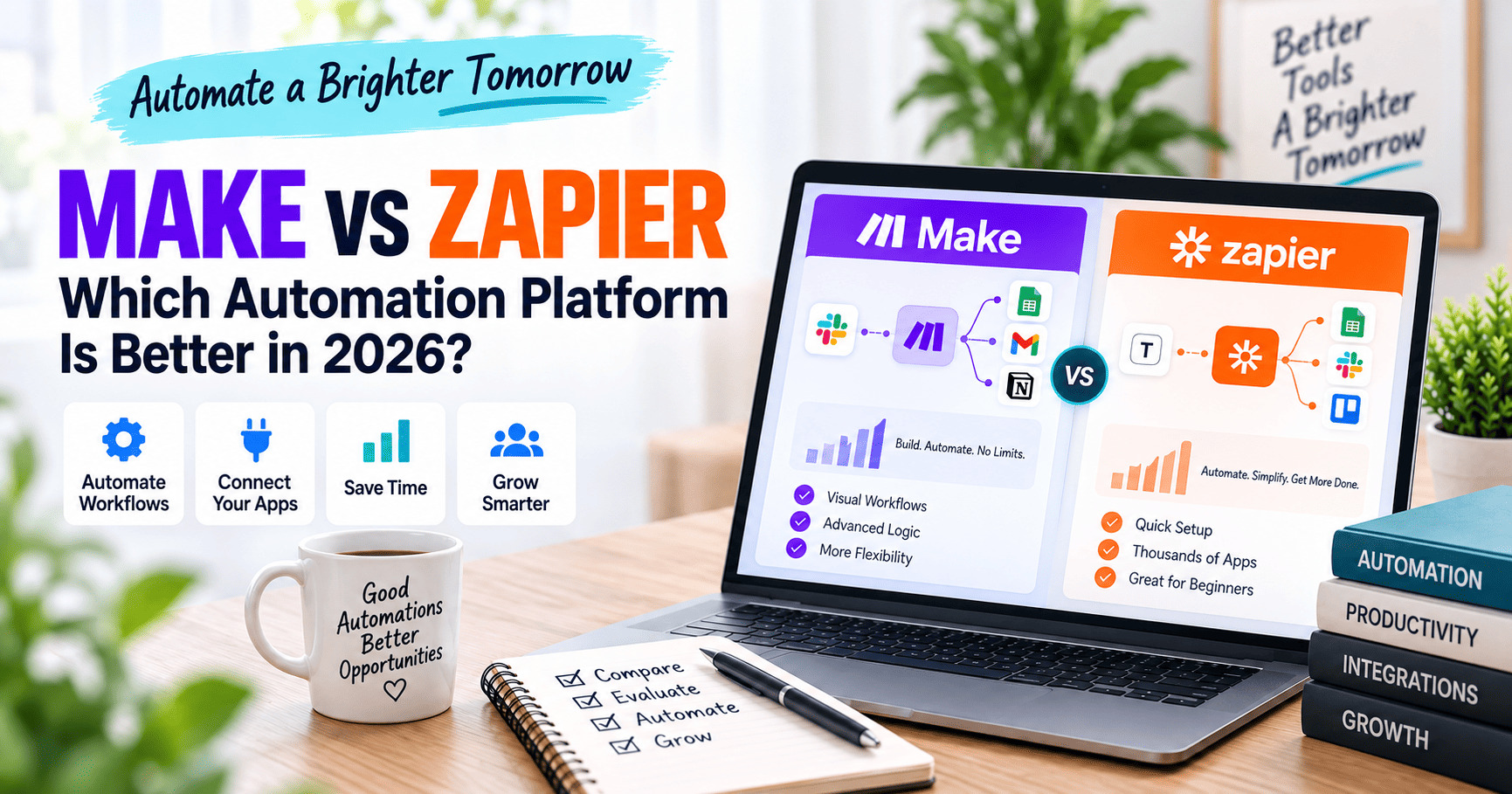
Choosing between Make vs Zapier is not just a question of which automation platform has more features. The better choice depends on how complex your workflows are, which apps you need to connect, how you prefer to build automations, and how each platform charges for usage.
Both tools can automate repetitive work across marketing, sales, operations, content production, customer support, and AI workflows. But they take noticeably different approaches. Make emphasizes a visual canvas and detailed control over multi-step scenarios, while Zapier focuses on broad app coverage and a streamlined trigger-and-action workflow model.
This comparison looks at pricing, integrations, workflow complexity, AI features, team collaboration, and the learning curve so you can decide which platform fits your needs in 2026.
If you are still exploring the broader automation landscape, see our guide to the best AI content creation and automation tools.
Editorial note: This comparison is based on publicly available documentation, product pages, and pricing information reviewed in September 2026. We are not claiming to have conducted controlled hands-on benchmark testing of both platforms. Features and pricing can change, so verify current details before subscribing.
Make vs Zapier: Quick Comparison
| Category | Make | Zapier |
|---|---|---|
| Free plan | 1,000 credits/month | 100 tasks/month |
| Paid entry point | Core from $12/month monthly at 10,000 credits; lower with annual billing | Professional from $19.99/month with annual billing |
| App integrations | 3,000+ pre-built apps | 9,000+ apps |
| Workflow style | Visual scenario canvas with modules, routes, filters, and data mapping | Trigger-action Zaps with multi-step workflows, Paths, Filters, and built-in tools |
| AI building | Maia, AI Agents, AI Toolkit, MCP | Copilot, AI fields, Agents, MCP, SDK |
| Best fit | Visual control and more complex branching workflows | Broad app coverage and simpler automation setup |
What Is Make?
Make is a visual automation platform built around workflows called scenarios. Instead of viewing an automation primarily as a vertical sequence of steps, Make displays modules and connections on a visual canvas. This makes it easier to see how data moves between apps, where logic branches, and how multiple paths fit together.
Make currently promotes support for more than 3,000 pre-built apps, along with custom apps, HTTP requests, webhooks, routers, filters, data transformation tools, AI features, and code execution for advanced workflows.
Its newer AI layer includes Maia by Make, which can help build and troubleshoot automations through natural language, plus Make AI Agents, AI Toolkit, and MCP capabilities.
Explore Make’s current platform features.
Where Make Stands Out
- Visual workflows make complex branching easier to inspect.
- Routers, filters, iterators, aggregators, and data mapping support detailed logic.
- Scenarios can connect no-code modules with APIs, webhooks, JavaScript, or Python when needed.
- AI Agents and Maia are integrated into the broader visual automation environment.
- The platform exposes execution history and workflow structure in a way that can help with troubleshooting.
Potential Drawbacks of Make
- The visual flexibility creates more setup decisions for beginners.
- Credit usage can become difficult to estimate in workflows that process many items or loop through large datasets.
- The app library is large, but still smaller than Zapier’s current integration catalog.
What Is Zapier?
Zapier is a no-code automation platform built around workflows called Zaps. A Zap begins with a trigger, such as receiving a form submission or adding a new spreadsheet row, and then performs one or more actions in connected applications. For a platform-specific deep dive, read our full Zapier review.
Zapier currently lists more than 9,000 app integrations. Its ecosystem also includes Tables, Forms, Canvas, Zapier MCP, an SDK, AI features, and separate products such as Agents and Chatbots.
For basic automations, the trigger-and-action model is straightforward. More advanced Zap workflows can include multiple steps, Paths, Filters, webhooks, premium apps, and other built-in tools.
See Zapier’s official workflow guide.
Where Zapier Stands Out
- A very large integration catalog increases the chance that your apps already have native connections.
- The trigger-action workflow model is approachable for common business automations.
- Professional plans include multi-step workflows, premium apps, webhooks, and built-in automation tools.
- Zapier Tables and Forms can be used alongside Zaps without requiring a separate external database or form service for every workflow.
- Zapier MCP and its SDK expand automation into AI assistants and developer workflows.
Potential Drawbacks of Zapier
- The Free plan allows only 100 tasks per month and limits Zaps to two steps.
- Paid task limits can become important when automations run frequently.
- Some AI products, such as Agents or Chatbots, have separate pricing structures.
Make vs Zapier Pricing in 2026
Pricing is one of the most important differences, but the comparison is not completely apples-to-apples because Make uses credits while Zapier uses tasks.
Make Pricing
Make’s Free plan includes 1,000 credits per month. At the 10,000-credit level, the company currently lists monthly prices of approximately:
- Core: $12/month
- Pro: $21/month
- Teams: $38/month
- Enterprise: custom pricing
Annual billing is cheaper; Make currently shows annual-equivalent starting prices around $9 for Core, $16 for Pro, and $29 for Teams at the same 10,000-credit level.
Most module actions consume one credit, although some advanced AI or code-related functions may consume credits differently. Routers and some error-handling modules are exceptions and do not necessarily consume credits in the same way.
Zapier Pricing
Zapier’s Free plan includes 100 tasks per month. Its current pricing page lists:
- Free: $0/month
- Professional: starting at $19.99/month with annual billing
- Team: starting at $69/month with annual billing
- Enterprise: custom pricing
The Professional starting tier currently includes 750 tasks per month according to Zapier’s own pricing guidance. Zapier also supports pay-per-task billing on paid plans, which can keep workflows running after the included task limit is reached unless that option is disabled.
Not every built-in Zapier step counts as a task. Zapier states that tools such as Filters, Formatter, Paths, Delay, Looping, Sub-Zap, Digest, Zapier Manager, and Storage do not count as tasks.
Pricing note: Prices and plan details may change. Confirm the latest terms with the provider before purchasing.
Which Pricing Model Is Easier to Understand?
Zapier’s task model can be easier to estimate for straightforward workflows because you can often count the successful actions that will run. Make’s credit system becomes more granular because many module actions consume credits as data moves through a scenario.
However, raw task and credit numbers should not be compared directly. A 10,000-credit Make plan is not automatically equivalent to a 10,000-task Zapier plan because each platform counts workflow activity differently.
Make vs Zapier for Ease of Use
For a first simple automation, Zapier generally presents fewer concepts at once. You choose a trigger, add an action, map the required fields, test the workflow, and publish it.
Make exposes more of the workflow structure visually. That can mean a larger learning curve at the beginning, especially when you encounter routers, bundles, mapping, iterators, aggregators, and error handlers.
The trade-off is that Make’s visual canvas can become easier to reason about once a workflow has several branches. You can see modules and routes together instead of opening each step in a mostly linear sequence.
Make is also trying to reduce its learning curve with Maia, which can translate plain-language requests into workflows while showing the build process on the visual canvas.
Make vs Zapier for Complex Workflows
Both platforms support multi-step automation, conditional logic, webhooks, and external APIs. The difference is primarily how that complexity is represented and managed.
Make is particularly well suited to workflows where you want to see branching, transformations, and multiple paths on one canvas. Routers and filters make the decision structure visible, and the platform offers detailed tools for manipulating data between steps.
Zapier is strong when the workflow remains easy to express as a sequence of triggers, actions, and conditional Paths. Its built-in tools handle filtering, formatting, branching, delays, and looping without all of those steps counting toward task usage.
For teams that mostly automate common SaaS workflows, Zapier’s approach may feel simpler. For users building heavily customized data flows, Make’s canvas may provide more direct visibility.
App Integrations: Zapier Has the Larger Catalog
This is one of the clearest documented differences.
Zapier currently advertises connections to 9,000+ apps, while Make promotes 3,000+ pre-built apps.
That does not mean Zapier will automatically be better for every integration. The specific triggers and actions available for an app matter more than the total catalog size. Make can also use HTTP requests and custom apps to connect services that expose APIs.
Still, if your priority is maximizing the chance of finding a native integration for niche SaaS products, Zapier’s larger directory is a meaningful advantage.
AI Automation: Make vs Zapier
Both platforms have moved beyond traditional trigger-action automation and now include AI orchestration features.
Make AI Features
- Maia by Make: natural-language workflow and agent building.
- Make AI Agents: reusable agents that can take actions across workflows.
- AI Toolkit: built-in AI functions for common tasks.
- AI app integrations: connections to OpenAI, Anthropic, ElevenLabs, Perplexity, and others.
- MCP Server and Client: ways to expose scenarios to AI interfaces or connect external agent systems.
Zapier AI Features
- Zapier Copilot: AI-assisted workflow building.
- AI fields and AI workflow tools: AI functionality inside automations.
- Zapier MCP: lets compatible AI assistants take actions across connected apps.
- Zapier SDK: connects AI agents to actions across thousands of apps.
- Agents and Chatbots: separate AI products with their own usage limits and plans.
Zapier’s current AI-by-Zapier pricing also uses model tiers that can consume different numbers of tasks per run, so AI-heavy workflows deserve careful usage planning.
Team Collaboration and Governance
Make and Zapier both offer collaboration and administration features, but their plan structures differ.
Make’s Teams plan adds team roles and shared scenario templates, while Enterprise adds deeper security, governance, enterprise integrations, and 24/7 support.
Zapier’s Team plan currently includes up to 25 users, shared Zap workflows and folders, shared app connections, SAML SSO, and priority support. Enterprise expands this with unlimited users, advanced admin controls, observability, and additional deployment and support options.
For a solo creator or freelancer, these features may not matter immediately. For agencies and businesses with multiple automation builders, permissions and shared connections become much more important.
Make vs Zapier: Which Should You Choose?
The answer depends on your workflow rather than the brand name.
Consider Make If:
- You want a visual map of complex automations.
- Your workflows use multiple branches, filters, transformations, or API calls.
- You want detailed control over how data moves between modules.
- You are comfortable spending more time learning the platform in exchange for flexibility.
- Make’s credit-based pricing fits your expected workload.
Consider Zapier If:
- You want the broadest possible native app catalog.
- You prefer a straightforward trigger-and-action workflow builder.
- You need to automate common SaaS tools quickly.
- Tables, Forms, or Zapier’s broader ecosystem fit your workflow.
- You prefer a task-based billing model and understand your expected task volume.
Example: Content Automation Workflow
Imagine that a content team wants to automate this process:
- A new content request arrives through a form.
- The request is added to a project-management system.
- An AI model summarizes the brief.
- The result is saved to a content database.
- A notification is sent to the editor.
- Different actions occur depending on content type or priority.
Both platforms can build this workflow.
In Zapier, it could be expressed as a multi-step Zap using Forms, AI steps, app actions, and Paths. In Make, the same logic could be laid out visually using modules, routers, filters, and AI integrations.
The practical difference is not whether the automation is possible. It is which interface, billing model, and maintenance style better match the person who will build and manage it.
Frequently Asked Questions
Is Make cheaper than Zapier?
Make currently has a lower paid entry price and a much larger free monthly usage allowance when comparing 1,000 Make credits with Zapier’s 100 free tasks. However, credits and tasks are counted differently, so the cheapest platform for a real workflow depends on how many actions, items, branches, and built-in tools the automation uses.
Is Zapier easier to use than Make?
Zapier’s trigger-action structure is generally easier to understand for simple automations. Make exposes more workflow logic visually, which can require more learning at first but can also make complex scenarios easier to inspect.
Which has more integrations, Make or Zapier?
Zapier currently advertises more than 9,000 app integrations, while Make promotes more than 3,000 pre-built apps. The exact triggers and actions supported by the specific apps you use are more important than the total number alone.
Can Make and Zapier both automate AI workflows?
Yes. Both platforms now support AI-enhanced workflows, AI assistants or agents, and connections to external AI services. Make emphasizes visual AI orchestration through Maia and AI Agents, while Zapier combines AI features with its large app ecosystem, MCP, SDK, Agents, and Chatbots.
Final Thoughts
Make vs Zapier is ultimately a comparison between two capable automation platforms with different strengths.
Make is a strong fit for users who want visual control over complex, branching workflows and detailed data handling. Its scenario canvas, routers, filters, AI tools, and flexible modules make it especially attractive when an automation is becoming a system rather than a simple sequence of steps. For a platform-specific deep dive, read our full Make review.
Zapier is a strong fit for users who prioritize broad app coverage and fast setup for common business automations. Its 9,000+ integration catalog, trigger-action workflow model, and connected ecosystem of Tables, Forms, MCP, and other tools can reduce the friction of connecting many SaaS products.
Before paying for either platform, map one real workflow, estimate its expected monthly usage, and build a small version on the free plan. The platform that makes that workflow easier to build, understand, and maintain is the better choice for your business.