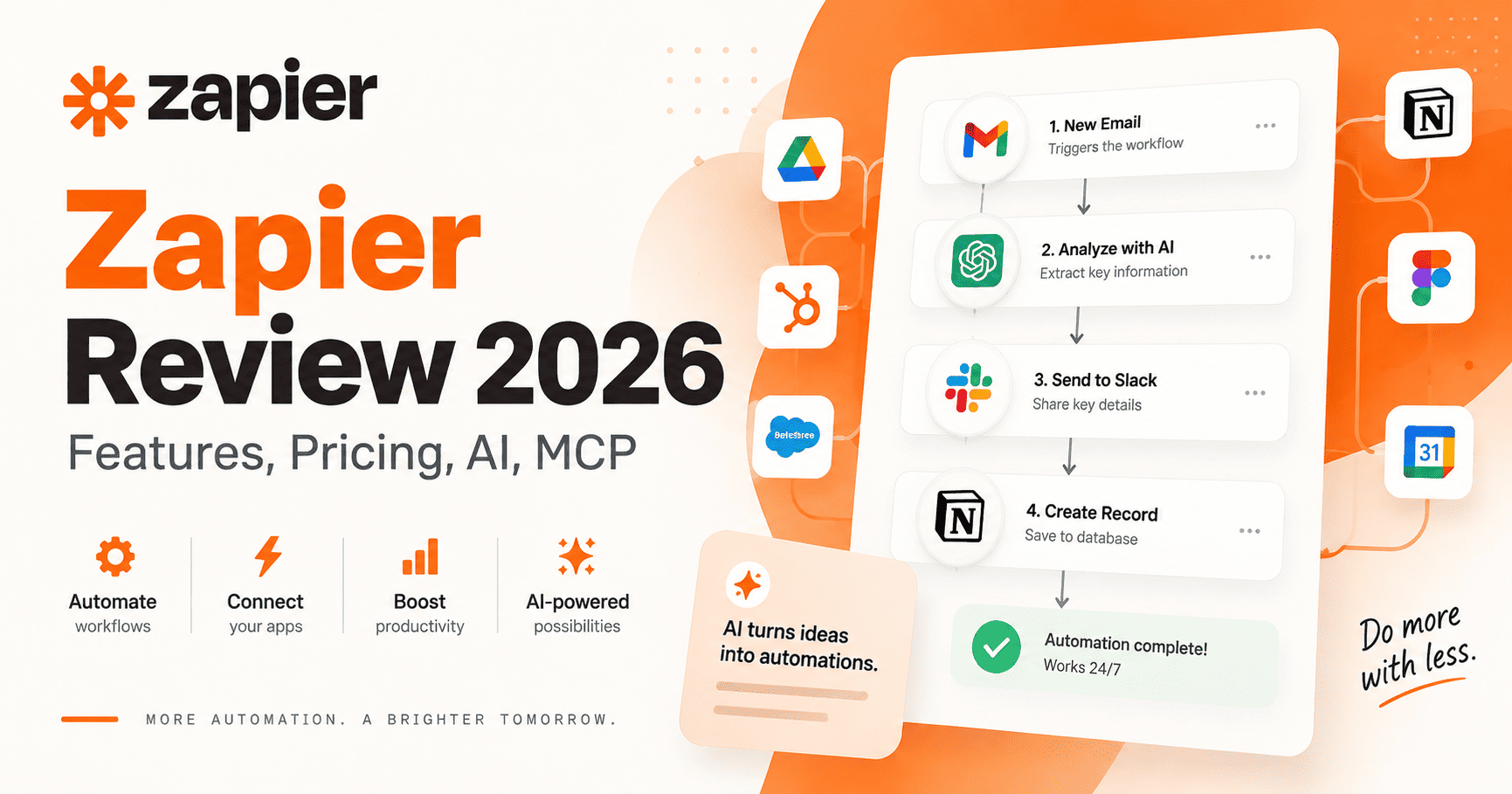
Zapier has evolved well beyond its original reputation as a simple tool for connecting two applications.
In 2026, Zapier positions itself as an AI-powered automation platform that combines traditional trigger-and-action workflows with AI tools, data storage, forms, visual process planning, Model Context Protocol support, and access to more than 9,000 applications.
That broader platform makes Zapier relevant to freelancers, marketers, operations teams, agencies, sales teams, small businesses, and larger organizations that need to move information between applications without building every integration from scratch.
This Zapier review examines the platform’s current features, pricing, task system, AI capabilities, MCP support, strengths, limitations, and the types of workflows where it makes the most sense.
If you are comparing Zapier with another major automation platform, see our detailed Make vs Zapier comparison. If you want a deeper look at Make specifically, read our Make review. For a broader software overview, see our guide to the best AI content creation and automation tools.
Editorial note: This review is based on Zapier’s publicly available product pages, pricing information, and help documentation reviewed in September 2026. We are not claiming to have conducted controlled hands-on benchmark testing. Features, pricing, task limits, AI functionality, and product names can change, so verify current details directly with Zapier before subscribing.
Zapier Review: Quick Verdict
Zapier is particularly useful when you want to connect a large number of business applications without building custom integrations yourself.
Its strongest advantages are its broad app ecosystem, relatively approachable trigger-and-action workflow model, multi-step automation tools, conditional logic, webhooks, built-in data tools, AI automation, and increasingly deep integration with AI assistants through Zapier MCP.
Zapier currently advertises support for more than 9,000 apps, giving it one of the broadest integration libraries among mainstream automation platforms.
The trade-off is that Zapier’s task-based pricing requires attention as automation volume increases. Complex workflows may perform several billable actions for every trigger event, while newer AI functionality can consume multiple tasks depending on the selected model tier.
For straightforward business automation, Zapier remains relatively easy to understand. For very complex branching workflows, however, some users may prefer a more visually oriented platform such as Make.
Best for: small businesses, marketers, sales teams, and operations users that want broad app coverage and a straightforward way to automate common SaaS workflows.
Less suitable for: teams running very high-volume or highly branched automations where task consumption, visual orchestration, or self-hosting are bigger priorities.
If you are also considering a more technical automation platform, see our n8n vs Zapier comparison.
What Is Zapier?
Zapier is an automation platform designed to connect applications, data, workflows, and increasingly AI systems.
A traditional Zapier automation is called a Zap. Each Zap starts with a trigger. When that trigger occurs, Zapier performs one or more actions.
For example:
- A prospect submits a form.
- Zapier adds the lead to a CRM.
- A filter checks the lead’s qualification status.
- A notification is sent to Slack.
- An AI step generates a personalized summary.
- The information is added to a table.
- A follow-up task is created for a salesperson.
Zapier now extends beyond Zaps with products and capabilities including Tables, Forms, Canvas, Copilot, AI by Zapier, and MCP connectivity.
Explore Zapier’s current platform.
How Zapier Works
Zapier workflows use a trigger-and-action model.
A trigger detects an event such as:
- A new form submission
- A new CRM contact
- A completed payment
- A new email
- A calendar event
- A database record
- A webhook request
Zapier then sends the trigger data into subsequent actions.
Actions can create records, send messages, update applications, transform information, call APIs, interact with AI models, or pass data into another automation step.
More advanced workflows can include multiple actions, filters, branching Paths, delays, schedules, webhooks, formatting tools, and AI reasoning.
Key Zapier Features in 2026
1. 9,000+ App Integrations
Zapier’s integration ecosystem is one of its defining strengths.
Zapier currently advertises support for more than 9,000 applications covering categories such as CRM, marketing, email, e-commerce, databases, productivity, project management, communication, accounting, customer support, AI tools, forms, and social platforms.
A large integration library reduces the likelihood that a user needs to build a custom API integration for common business software.
Browse Zapier’s current app directory.
2. Multi-Step Zap Workflows
Paid Zapier plans support workflows with multiple action steps.
That makes it possible to turn a single trigger into a complete business process.
For example, one new customer could trigger:
- CRM record creation.
- A welcome email.
- A project-management task.
- A Slack notification.
- A spreadsheet update.
- An AI-generated customer summary.
The Professional plan currently includes multi-step Zap workflows, while the Free plan is limited to two-step workflows containing one trigger and one action.
3. Filters
Filters determine whether a workflow should continue.
For example, an automation could continue only if:
- An order exceeds a certain value.
- A lead comes from a specific country.
- A support request contains a certain category.
- A contact belongs to a particular customer segment.
If the filter conditions are not satisfied, Zapier stops the remaining actions.
4. Paths
Paths provide branching logic.
Instead of simply continuing or stopping a Zap, Paths let the workflow perform different actions depending on conditions.
For example:
- High-value leads → send to sales.
- Medium-value leads → enter an email sequence.
- Low-value leads → store for future nurturing.
Zapier’s current documentation says Paths are available on Professional, Team, and Enterprise plans. Filter and Path steps themselves do not count toward task usage.
5. Webhooks
Webhooks extend Zapier beyond pre-built application integrations.
They allow an external system to send data directly to a Zap or let Zapier send data to another service.
This is particularly useful when an application has an API but no suitable native Zapier action, a developer needs to send data into Zapier, a workflow needs to interact with a custom application, or real-time event delivery is preferable to periodic polling.
6. Zapier Tables
Zapier Tables is an automation-focused data storage tool.
A table contains records, fields, and cells, similar conceptually to a lightweight database or spreadsheet.
Tables can store information generated by Zap workflows and can themselves trigger additional automation.
Possible uses include:
- Lead databases
- Customer onboarding
- Content pipelines
- Expense tracking
- Approval queues
- Inventory-like records
- AI workflow outputs
7. Zapier Forms
Zapier Forms allows users to build forms and pages that connect directly to automated workflows.
A form can collect information and then trigger a Zap that sends the data to other applications.
This makes Forms useful for lead capture, customer intake, internal requests, support submissions, employee onboarding, and approval processes.
8. Zapier Canvas
Zapier Canvas provides a visual way to map larger business systems.
A canvas can contain both automated and manual steps and can connect to Zaps, Tables, Forms, and other Zapier assets.
Users can also ask AI to generate a suggested system based on a description of the process they want to automate.
Canvas is therefore less about executing one automation and more about visualizing how multiple automation assets fit together.
9. Zapier Copilot
Zapier Copilot is an AI assistant designed to help users build and maintain automation assets through natural-language instructions.
For example, users can ask it to add workflow steps, modify a table, or help create a larger automation.
As of September 2026, Zapier labels Copilot as an open beta, so functionality may continue to change.
10. AI by Zapier
AI by Zapier brings AI models directly into Zap workflows.
Users can configure an AI step to perform tasks such as:
- Summarization
- Classification
- Content drafting
- Information extraction
- Decision support
- Tool calling
- Multi-step agentic actions
AI by Zapier can use built-in model connections or supported user-provided AI accounts.
Zapier has also moved agentic functionality into AI by Zapier. Adding tools to an AI step allows the model to interact with connected applications and autonomously perform actions within the configured workflow.
What Happened to Zapier Agents?
Zapier’s standalone Agents product is being migrated into AI by Zapier.
Rather than requiring a separate Agents environment, the agent’s prompt, reasoning, and connected tools can now operate inside an AI by Zapier step within a normal Zap workflow.
This change is important when researching Zapier because older comparisons may still present Zapier Agents as a completely separate product.
Zapier MCP
Zapier MCP is one of the platform’s most significant additions for AI automation.
MCP stands for Model Context Protocol, an open standard that lets compatible AI clients connect to external tools and data.
Zapier’s MCP implementation lets compatible AI systems access actions across Zapier’s integration ecosystem.
Zapier currently says its MCP offering provides access to:
- 9,000+ apps
- 40,000+ actions
Zapier handles application connections, authentication, credentials, and rate limits on behalf of the MCP client.
This means an AI assistant can potentially take actions in connected applications without the user manually switching between each service.
Zapier MCP is currently listed as available on Free, Professional, Team, and Enterprise plans. One important limitation for Free users is that the Free plan’s 100 monthly tasks are shared between Zap workflows and MCP server actions.
Zapier Pricing in 2026
Zapier uses task-based pricing.
The current starting tiers are:
| Plan | Starting price | Starting task allowance | Typical user |
|---|---|---|---|
| Free | $0 | 100/month | Beginners and testing |
| Professional | $19.99/month billed annually | 750/month | Individuals and small businesses |
| Team | $69/month billed annually | 2,000/month | Collaborative teams |
| Enterprise | Custom | Custom | Larger organizations |
Pricing note: Prices and plan details may change. Confirm the latest terms with the provider before purchasing.
These starting prices and task allowances were current when reviewed in September 2026.
View Zapier’s current pricing.
Free Plan
Zapier’s Free plan currently includes 100 tasks per month, two-step Zap workflows, one user, and 15-minute polling.
The Free plan is useful for learning Zapier and testing low-volume automations, but 100 monthly tasks can disappear quickly once a workflow runs frequently.
Professional Plan
Professional currently starts at $19.99 per month when billed annually, with a starting allowance of 750 tasks per month.
Professional adds capabilities such as multi-step workflows, premium apps, webhooks, Filters and Paths, AI features, faster polling, and more advanced workflow controls.
Team Plan
Team currently starts at $69 per month when billed annually, with 2,000 tasks per month at the entry tier.
It adds collaboration functionality such as shared workflows, shared folders, shared app connections, SAML SSO, and priority support.
Enterprise Plan
Enterprise uses custom pricing.
It is designed for organizations requiring additional controls around administration, deployment, governance, observability, security, usage limits, and support.
How Zapier Tasks Work
Understanding tasks is important before choosing a Zapier plan.
A task is generally a successful action completed by Zapier.
Suppose one trigger causes Zapier to:
- Create a CRM record.
- Send an email.
- Create a project task.
- Send a Slack message.
That workflow can consume multiple tasks for a single trigger event because several actions are being completed.
By contrast, triggers themselves do not necessarily represent billable tasks, and some built-in tools such as Filters and Paths do not consume tasks.
This means Zapier costs depend not only on how often a workflow runs but also on how many billable actions each run performs.
Pay-Per-Task Billing
Paid Zapier plans can continue running after their included task allowance is exceeded through pay-per-task billing.
This can prevent important automations from stopping unexpectedly, but users should monitor usage carefully because overages increase the actual monthly cost.
AI by Zapier Pricing
AI by Zapier introduces another layer to task consumption.
Since June 2026, Zapier has used model-based multipliers for AI steps. Current documentation describes:
- Standard: 1x
- Advanced: 3x
- Premium: 5x
- Connected own AI account: 1x
Tool calls made by the AI also use tasks according to the applicable model multiplier.
For users building AI-heavy workflows, this makes task planning particularly important.
Zapier Pros
- Huge integration ecosystem: More than 9,000 supported applications.
- Approachable workflow model: Trigger-and-action automation is relatively easy to understand.
- Strong business automation coverage: CRM, email, forms, databases, marketing, support, and project-management workflows are well represented.
- Multi-step automation: Paid plans can coordinate several actions from one trigger.
- Conditional logic: Filters and Paths support more sophisticated workflows.
- Webhooks: Users can integrate systems beyond Zapier’s native app catalog.
- Integrated Tables and Forms: Data collection and storage can remain inside the Zapier ecosystem.
- AI automation: AI by Zapier brings reasoning and tool use directly into workflows.
- MCP support: AI clients can access thousands of applications and actions through Zapier MCP.
- Collaboration: Team and Enterprise plans provide shared assets and administration features.
Zapier Cons: What Are Its Biggest Limitations?
Zapier’s biggest limitations are task-based pricing at scale, higher task consumption in multi-step or AI-heavy workflows, and less visual control than some alternatives for complex branching automation.
- Task limits require planning: High-volume workflows can exceed plan allowances.
- Complex workflows can consume several tasks per trigger: Cost depends on the number of actions, not simply the number of automation runs.
- AI steps may consume tasks faster: Advanced and Premium model tiers use higher multipliers.
- Free workflows are limited: Free users are restricted to two-step Zaps and 100 monthly tasks.
- Advanced features require paid plans: Many higher-level workflow capabilities require Professional or above.
- Less visually oriented than Make for complex branching: Users who prefer seeing an entire automation on one canvas may prefer Make’s scenario-building style.
Who Is Zapier Best For?
Small Businesses
Zapier can connect forms, email, spreadsheets, CRM systems, accounting software, scheduling tools, and project-management platforms without requiring a dedicated integration developer.
Marketers
Marketing teams can automate lead collection, campaign notifications, CRM updates, content workflows, reporting, and AI-assisted processing.
Sales Teams
Zapier can move leads between forms and CRMs, enrich information, create follow-up tasks, notify account owners, and automate repetitive sales administration.
Agencies
Agencies managing multiple software stacks can use Zapier to connect client systems and create repeatable workflow templates.
Operations Teams
Operations users can build approval flows, synchronize applications, move records, trigger notifications, and create centralized automation processes.
AI Automation Builders
Zapier is increasingly relevant for users building workflows around AI models and MCP-compatible clients.
Its combination of traditional automation and AI tool connectivity means deterministic steps and agentic actions can exist inside the same automation system.
Zapier vs Make
Zapier and Make address many of the same automation problems, but they organize workflows differently.
Zapier generally emphasizes a guided trigger-and-action structure. Make emphasizes a visual scenario canvas where routes, modules, filters, and transformations are displayed together.
Zapier may be attractive when:
- You need very broad application coverage.
- You prefer a straightforward trigger-action model.
- You want to build common business automations quickly.
- You want Zapier Tables, Forms, or MCP connectivity integrated into the same ecosystem.
Make may be attractive when:
- Your automation contains complex branching.
- You prefer visual orchestration.
- You frequently manipulate data between many steps.
- You want granular visibility into workflow paths.
For a deeper comparison, read our Make vs Zapier comparison.
Zapier for AI Automation
Zapier’s direction in 2026 increasingly combines traditional automation with AI.
A workflow can use deterministic steps where the outcome must be predictable and AI steps where classification, interpretation, generation, or decision-making is useful.
For example:
- A customer support request enters through a form.
- AI by Zapier classifies the request.
- A Path routes it by category.
- Zapier updates the support system.
- AI generates a suggested response.
- A human reviews high-risk cases.
- Zapier sends the approved response.
- The result is stored in a Table for reporting.
This combination of structured automation and AI reasoning is one of Zapier’s most important changes compared with its earlier role as a simple app connector.
Is Zapier Worth It in 2026?
Zapier is worth considering when the time saved by automating repetitive work is greater than the cost of the tasks consumed.
The Free plan provides enough capacity to learn the platform and test a small workflow.
Professional becomes more relevant when you need multi-step Zaps, faster polling, premium apps, webhooks, conditional logic, or AI by Zapier.
Team is more appropriate when several people need to build and manage shared automation systems.
Enterprise focuses more heavily on administration, governance, observability, security, and organizational scale.
The most important step before upgrading is estimating actual task consumption.
A workflow that runs 100 times per month but performs five billable actions on every run could consume approximately 500 tasks. AI steps can raise that total further depending on model tier and tool usage.
Frequently Asked Questions
Does Zapier have a free plan?
Yes. Zapier currently offers a Free plan with 100 tasks per month and two-step Zap workflows.
How much does Zapier cost?
Zapier currently starts at $0 for Free, $19.99 per month for Professional when billed annually, and $69 per month for Team when billed annually. Enterprise pricing is customized.
How many apps does Zapier support?
Zapier currently advertises more than 9,000 applications.
What is a Zap?
A Zap is an automated workflow. A trigger starts the workflow and subsequent action steps perform tasks in connected applications.
What is a Zapier task?
A task generally represents a successful action completed by a Zap. A single workflow run can therefore consume several tasks when multiple billable actions execute.
Does Zapier support AI?
Yes. Zapier supports AI through AI by Zapier, Copilot, integrations with AI applications, and agentic tool calling.
What is Zapier MCP?
Zapier MCP connects compatible AI clients with actions available through Zapier. Zapier currently advertises access to more than 9,000 apps and over 40,000 actions through its MCP implementation.
Is Zapier Agents still separate?
Zapier is migrating standalone Agents functionality into AI by Zapier inside Zap workflows. Existing agent concepts such as tool calling and autonomous execution are being incorporated into AI by Zapier.
Is Zapier better than Make?
The platforms emphasize different workflow styles. Zapier focuses heavily on broad application coverage and trigger-action automation, while Make emphasizes visual scenarios and detailed branching. The better fit depends on the complexity and structure of the workflow.
Final Thoughts
Zapier has developed from a straightforward app connector into a much broader automation platform.
Its 9,000+ application ecosystem remains a major advantage, but the platform now also includes Tables, Forms, Canvas, AI-assisted building, agentic automation, and MCP connectivity.
For individuals and businesses that need to connect common SaaS applications quickly, Zapier’s trigger-and-action approach can be easier to approach than building integrations from scratch.
The main limitation is cost predictability at higher automation volumes. Users should understand how tasks are counted, particularly when workflows contain many actions or AI steps.
For that reason, the best way to evaluate Zapier is to start with one repetitive process, calculate how many actions it performs each month, and determine whether the time saved justifies the task allowance required.