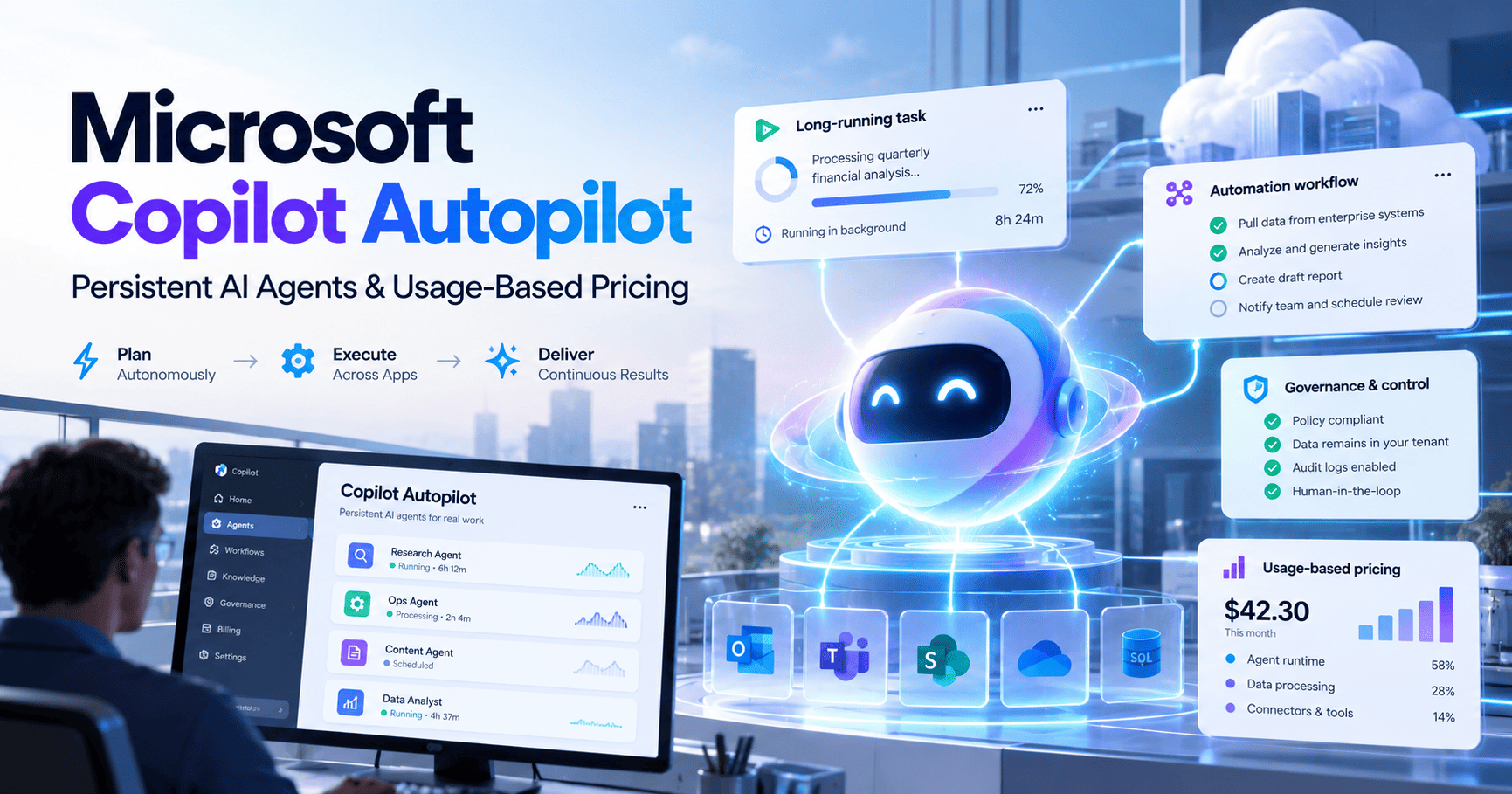
Microsoft Copilot Autopilot changes the role of Copilot from an assistant you prompt into a persistent cloud-hosted agent that can keep working across longer-running tasks. Microsoft introduced Autopilot alongside the new Copilot Home and Code experiences, with usage-based billing through Copilot Credits for advanced agentic work.
This guide explains what Autopilot is, what changed in Microsoft Copilot, how usage-based billing works, where Autopilot fits compared with workflow automation platforms, and what small teams should verify before adopting it.
Research note: product capabilities, rollout status, and billing details were checked against Microsoft’s official announcement and Microsoft Learn documentation on September 30, 2026. Autopilot is still rolling out through preview programs, so availability and pricing mechanics can change.
What changed
Microsoft reorganized Copilot around three experiences: Home for everyday work, Code for building solutions, and Autopilot for persistent agentic work. Autopilot is cloud-hosted and designed to keep working without continuous prompting. Microsoft says long-running capabilities such as Cowork, Code, and Autopilot use Copilot Credits through usage-based billing.
What Is Microsoft Copilot Autopilot?
Microsoft describes Autopilot as a persistent, proactive, personal agent hosted in the cloud.
The core idea is persistence. Instead of asking Copilot to complete one request and then starting over, Autopilot is designed to maintain responsibility for longer-running work, continue making progress, and operate within organizational controls.
That places Autopilot in a different category from normal chat-based Copilot experiences. It is closer to an always-on digital worker than a conventional assistant.
Microsoft says Autopilot is part of a broader redesign that brings together Home, Code, and Autopilot in one connected Copilot experience.
Home, Code, and Autopilot: What Changed?
Home
Home combines Chat and Cowork into a central starting point for everyday Copilot work. Microsoft is also bringing Word, Excel, and PowerPoint capabilities directly into the Copilot experience.
The idea is to keep routine AI-assisted work in a predictable user-licensed experience while giving users access to more agentic work when needed.
Code
Code is designed to let knowledge workers build applications and automations using natural language. Microsoft says it is powered by the same underlying technology as GitHub Copilot.
This is important for teams that want to create internal solutions without handing every build request to a developer, but it also introduces new governance and billing questions because the work can be more computationally intensive.
Autopilot
Autopilot is the persistent-agent layer. Microsoft positions it for work that should continue over time rather than ending with a single prompt.
Microsoft says Autopilot is hosted in the cloud and combines identity, memory, computer access, and workspace context so it can operate as a long-running agent inside the organization.
How Microsoft Copilot Autopilot Pricing Works
The most important pricing change is not a simple subscription increase. Microsoft is moving advanced agentic work toward a combination of fixed user licensing and usage-based billing.
Microsoft calls the usage unit Copilot Credits. These credits act as a common currency for eligible Copilot experiences that use usage-based billing.
According to Microsoft, everyday AI remains covered by the normal user subscription license. More advanced agentic experiences that can perform long-running or computationally expensive work use Copilot Credits.
Microsoft specifically says that Cowork, Code, and Autopilot, along with frontier-model experiences, run on usage-based billing.
Why usage-based billing matters
Usage-based billing changes how teams should evaluate Copilot economics.
A fixed subscription is easy to budget: multiply users by the monthly license. A persistent agent is different because its workload may vary substantially from one task to another.
One Autopilot task could be short and inexpensive. Another could involve multiple steps, longer reasoning, application interaction, and extended runtime. That makes the cost of the work—not just the number of licensed users—part of the budgeting model.
Microsoft provides administrators with cost-management tools in the Microsoft 365 admin center, including spending policies, credit controls, usage visibility, and approval workflows for credit requests.
Copilot Credits and Cost Management
Microsoft’s Copilot Credits model is designed to give organizations more control over variable AI spend.
Administrators can use the Cost Management dashboard to:
- configure usage-based billing;
- set spending policies;
- control which users or groups can access credit-based experiences;
- monitor consumption;
- manage credit requests;
- and review how usage maps to business outcomes.
Microsoft also says end users can view credit usage, remaining balances, and usage history for supported experiences.
That is a major difference from consumer-style AI subscriptions. Microsoft is clearly treating advanced Copilot usage as an enterprise cost-management problem rather than only a per-seat software license.
Autopilot vs Zapier-Style Automation
Autopilot and workflow automation overlap, but they start from different assumptions.
| Platform / approach | Core model | Best fit |
|---|---|---|
| Microsoft Copilot Autopilot | Persistent cloud-hosted agent with organizational context and usage-based AI work | Long-running knowledge work, delegation, context-heavy tasks, and Microsoft-centric environments |
| Zapier | Trigger-action automation plus AI orchestration across thousands of apps | Fast business workflows and app-to-app automation |
| Make | Visual scenario automation with branching and data routing | Flexible multi-step automations with more visible workflow logic |
| n8n | Technical automation and AI orchestration with code, APIs, and self-hosting | Complex logic, developer workflows, infrastructure control, and custom integrations |
Autopilot starts with delegated work; workflow platforms usually start with a defined process.
If the goal is “when a lead arrives, enrich the record, update the CRM, and notify sales,” a structured workflow is still the more natural fit.
If the goal is “own this project, keep track of changing context, continue working, and bring me the important decisions,” a persistent agent such as Autopilot becomes more relevant.
Compare workflow automation
Need predictable app-to-app automation? Compare the cost and control tradeoffs of today’s leading workflow platforms.
Where Autopilot Could Fit for Small Teams
Long-running project work
Autopilot is best understood as a delegation layer for work that cannot be completed in one simple prompt.
For small teams, that could include ongoing research, project coordination, documentation, internal analysis, or operational follow-up that benefits from persistent context.
Microsoft 365-heavy operations
Autopilot becomes more compelling when a team already lives inside Microsoft 365 and uses Microsoft identity, Office apps, Teams, and related governance controls.
The value is not only the agent itself. It is the combination of organizational context, identity, permissions, and centralized cost management.
Internal solution building
The new Code experience can help users create internal apps and automations from natural language, while Autopilot can potentially take on longer-running work around those systems.
For organizations already standardized on Microsoft, that could reduce the number of separate AI and automation platforms required.
Governance and Identity
Persistent agents create a governance problem that normal chatbots largely avoid: if an agent keeps working, what identity does it use and what is it allowed to access?
Microsoft is building Autopilot around enterprise identity and governance. The company describes Autopilot as having its own identity, memory, computer, and workspace, while administrators retain policy and spending controls.
This matters because long-running agents can cross more systems and perform more work than a simple prompt-response assistant. The safer model is explicit permissions, centralized policy, and measurable consumption.
What Small Businesses Should Watch
1. Preview availability
Autopilot is not yet a universally available production feature. Microsoft says it is expanding through preview programs, so teams should verify whether their tenant and region are eligible before planning around it.
2. Actual Copilot Credit consumption
The strategic pricing model is clear, but the real cost of a persistent task will depend on how many credits specific workloads consume.
That means early adopters should monitor usage rather than assume a fixed monthly cost per agent.
3. Cost controls
Because Autopilot can run longer jobs, teams should set spending policies before scaling access. Microsoft’s own documentation emphasizes centralized cost controls and visibility.
4. Workflow overlap
Teams should not automatically replace deterministic automations with an agent. Fixed workflows can remain easier to audit, test, and budget.
The better approach is likely hybrid: use agents for ambiguous, context-heavy work and structured automation for repetitive processes that should behave consistently.
Microsoft Copilot Autopilot vs OpenAI Dots
Microsoft Autopilot and OpenAI Dots point in the same broad direction: persistent agents that can keep working without continuous prompting.
The difference is ecosystem positioning. Autopilot is being built around Microsoft 365, enterprise identity, governance, and Copilot Credits. OpenAI Dots is being positioned around ChatGPT, its plugin ecosystem, a dedicated cloud computer, and cross-app work.
For a Microsoft-centric organization, Autopilot may fit naturally into existing identity and governance. For a team already standardized on ChatGPT and its integrations, Dots may be the more natural persistent-agent layer.
See our OpenAI Dots guide for the other side of that comparison once it is published.
Who Should Consider Autopilot?
Microsoft Copilot Autopilot looks most relevant for organizations that already use Microsoft 365 heavily and want to delegate longer-running knowledge work without moving outside the Microsoft governance stack.
Teams that mainly need straightforward app automation may still find Zapier or Make simpler. Technical teams that want custom infrastructure or self-hosting may prefer n8n.
The decision should come down to the kind of work being delegated: explicit workflow execution or persistent, context-aware responsibility.
FAQ
What is Microsoft Copilot Autopilot?
Microsoft Copilot Autopilot is a persistent, proactive, cloud-hosted AI agent designed to keep working on longer-running tasks without requiring continuous prompts.
Is Autopilot included in Microsoft 365 Copilot?
Microsoft is combining fixed user licensing with usage-based billing. Everyday AI remains covered by the user subscription license, while advanced agentic experiences such as Autopilot use Copilot Credits through usage-based billing.
What are Copilot Credits?
Copilot Credits are Microsoft’s usage unit for eligible AI services that use usage-based billing. Administrators can manage credits, spending policies, access, and consumption through Microsoft 365 cost-management tools.
Is Microsoft Copilot Autopilot generally available?
No. Microsoft announced Autopilot as part of the new Copilot rollout and is expanding it through preview programs. Availability should be verified for each organization and region.
Does Autopilot replace Zapier?
No. Autopilot is built for persistent delegated work, while Zapier is primarily designed around structured trigger-action workflows. Many teams may use both approaches for different types of automation.
Bottom Line
Microsoft Copilot Autopilot is another sign that AI automation is moving beyond single prompts and into persistent work.
The most important change is not simply the new interface. It is the combination of long-running agents, enterprise identity, centralized governance, and usage-based billing through Copilot Credits.
For small teams already invested in Microsoft 365, Autopilot could eventually become a powerful operating layer for delegated work. But the economics will depend on real credit consumption, and the feature is still in preview.
The practical question is whether persistent agent work delivers enough value to justify variable usage costs compared with traditional workflow automation. That is the metric small teams should watch as Autopilot moves toward broader availability.