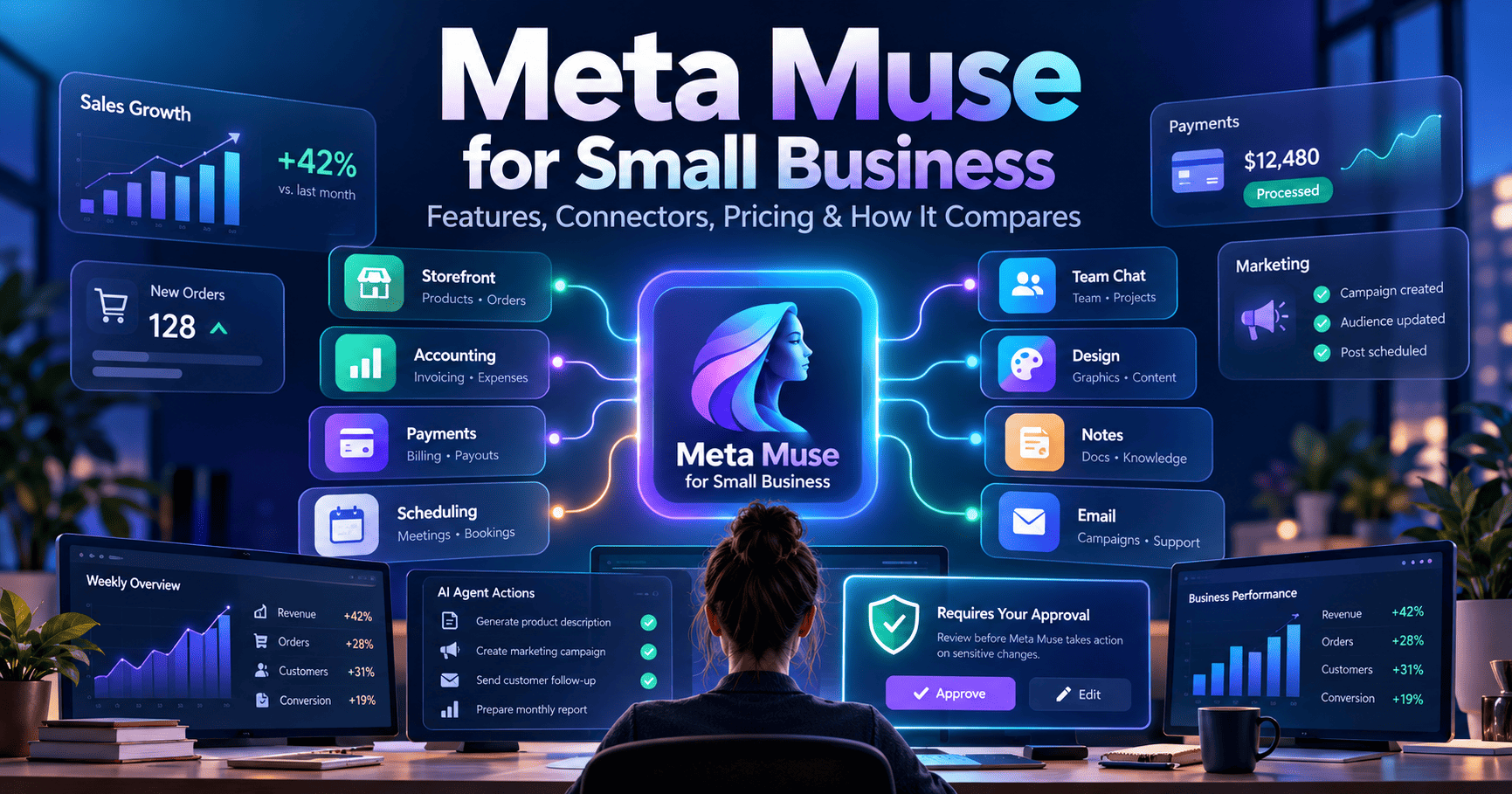
Meta Muse for Small Business turns Muse from a general personal AI agent into a more practical business operator by connecting it to the tools small teams already use for commerce, accounting, marketing, collaboration, and customer work. Meta now supports connectors including Shopify, QuickBooks, Stripe, Slack, Canva, Notion, Klaviyo, Asana, and more, while keeping sensitive actions behind user approval.
This guide explains what changed, which connectors are available, how Muse pricing works, what we learned from a limited public-data-only test, and where Muse fits compared with workflow automation platforms such as Zapier and Make.
Research note: product capabilities, connectors, pricing, and availability were checked against Meta’s official Muse announcement and Meta Help Center on September 30, 2026. Muse remains in limited testing and availability can vary by region and account.
What changed
Meta expanded Muse for small businesses with business-focused skills and connectors across storefronts, accounting, payments, marketing, collaboration, and creative tools. Muse can work across connected business context, but Meta says nothing publishes, sends, or spends without approval. Muse remains free with usage limits, with paid plans available for heavier use.
What Is Meta Muse for Small Business?
Muse is Meta’s personal AI agent designed to complete tasks on a user’s behalf. The Small Business expansion adds a much more business-oriented connector layer so Muse can work with the systems a company already uses.
Meta’s positioning is broader than a traditional chatbot. You give Muse a goal—such as improving customer acquisition, reviewing business performance, or planning a campaign—and it can gather context from connected tools, work across multiple steps, and bring work back for review.
For small businesses, the important shift is context. Instead of asking an AI assistant to reason from a pasted spreadsheet or isolated prompt, Muse can work with connected information from your storefront, books, brand assets, customer records, collaboration tools, and Meta business accounts.
Our Limited Hands-On Test
AI Workflow Stack tested Muse in a deliberately restricted setup using only public information. We did not connect Gmail, calendars, social accounts, WordPress, private files, payment services, business records, or other private systems.
In that setup, Muse was useful as a research assistant. We asked it to compare current AI automation products, correct earlier pricing assumptions, calculate usage scenarios, stress-test its own estimates, review AI Workflow Stack’s public sitemap, and identify current editorial opportunities.
The strongest result was not that Muse got everything right on the first attempt—it did not. The useful part was that it accepted corrections, returned to official documentation, showed its formulas, marked uncertainty, and improved the analysis over several iterations.
That makes Muse interesting for research and planning, but it does not prove that every connected-business workflow will be equally reliable. We would still recommend gradual permissioning and human review before trusting any agent with consequential business actions.
Which Business Tools Can Muse Connect To?
Meta’s September 2026 announcement lists connectors including:
- Asana
- Box
- Canva
- Dropbox
- Figma
- Granola
- HighLevel
- Intuit QuickBooks
- Klaviyo
- Lovable
- Notion
- Shopify
- Slack
- Stripe
- Zoom
Muse can also connect to Facebook Pages, Instagram professional-account analytics, and Meta ad accounts. Meta says additional connectors are planned, and Muse supports custom connectors for services that are not yet covered by the standard integration list.
The connector count matters less than the combination. Shopify plus Stripe plus QuickBooks gives Muse potential visibility into storefront, payment, and financial context. Canva plus Klaviyo plus Meta ad accounts gives it a path into creative and marketing work. Slack, Notion, Asana, and Zoom add operational context.
What Can Muse Do for a Small Business?
Business performance analysis
Meta shows examples where Muse reviews sales, campaigns, social activity, and financial information to help surface patterns or build a growth plan.
That could be useful for an owner who currently jumps between several dashboards to understand what happened during the month.
Marketing and content support
With access to brand context, Canva, marketing platforms, and Meta business accounts, Muse can help analyze what is working, identify trends, and prepare campaign drafts for approval.
The key word is drafts. Meta says actions that publish, send, or spend require approval, so the intended model is assistance plus review rather than unsupervised external action.
Operational triage
Muse can also be used to identify what needs attention across connected work. Meta gives examples such as surfacing emails that may require a response and preparing first drafts.
For a small-business owner, this could reduce the cost of constantly checking several tools for the next urgent item.
Commerce and finance context
Shopify, Stripe, and QuickBooks are particularly important because they move Muse closer to the operating core of a small business.
That also raises the bar for permissions and verification. A research mistake is inconvenient; a financial or customer-facing mistake can be consequential. Small teams should connect high-impact systems gradually and keep approval requirements intact.
Meta Muse for Small Business Pricing in 2026
Muse is available free with a usage limit. Meta says users who reach that limit can either wait for it to refresh or upgrade to a paid subscription.
| Plan | Published price | Published allowance |
|---|---|---|
| Free | $0 | Usage-limited; exact free allowance may vary by account |
| Power | $20/month | 500M Muse tokens per week |
| Maximum | $100/month | 3B Muse tokens per week |
Meta notes that subscription benefits and availability may vary by region and account. Muse and Muse subscriptions are still in limited testing and are not available everywhere.
That makes Muse unusually aggressive on entry price compared with many business automation products, but the units are also different. A token allowance does not map directly to Zapier tasks, Make operations, or n8n workflow executions, so a simple price-per-month comparison can be misleading.
Meta Muse vs Zapier vs Make
Meta Muse for Small Business overlaps with workflow automation, but its operating model is different.
| Platform | Core model | Best fit |
|---|---|---|
| Meta Muse | Goal-driven AI agent using connected business context and approval-based actions | Owners and small teams that want an agent to reason across business tools |
| Zapier | Trigger-action workflows plus AI orchestration across a very large app ecosystem | Fast, structured business automation with predictable workflows |
| Make | Visual scenario automation with flexible branching and data routing | Teams that want deeper control over multi-step workflows without building everything in code |
Muse starts with the goal; Zapier and Make usually start with the workflow.
For example, “when a new lead enters this form, add it to the CRM, enrich it, and notify sales” is still a natural workflow-automation problem. “Review my sales, campaigns, customer activity, and brand context, then tell me where the business is underperforming and prepare a plan” is closer to the Muse model.
That distinction matters because explicit workflows can be easier to audit and predict. Agents can handle ambiguity and changing context better, but their behavior may be less deterministic.
Compare automation platforms
Need predictable trigger-action automation? Compare Zapier and Make before deciding whether an agent-first workflow is the better fit.
Approvals, Permissions, and Control
Meta emphasizes a simple rule for Muse for Small Business: nothing publishes, sends, or spends without your approval.
That is important because Muse can potentially work with marketing, commerce, finance, and collaboration systems. The more context an agent can access, the more valuable it can become—but also the more carefully permissions need to be managed.
Small teams should avoid treating “connected” as meaning “trusted with everything.” A safer rollout is to start with lower-risk or read-heavy systems, observe what the agent does, and expand permissions only when the behavior is predictable enough for the use case.
Where Muse Looks Strong
- Small-business context: Muse is explicitly being positioned around owners and small teams rather than only enterprise IT.
- Cross-tool reasoning: the connector set spans operations, commerce, finance, marketing, and creative work.
- Low entry cost: free access with usage limits lowers the barrier to testing.
- Approval-first design: consequential external actions remain reviewable.
- Agent-style work: Muse can proactively surface ideas and draft work rather than only responding to one-off prompts.
Where Muse Still Has Limits
- Limited availability: Muse is still in limited testing and not available everywhere.
- Usage limits: the exact free allowance can vary, so “free” does not mean unlimited.
- Agent variability: tool use and reasoning can be less predictable than a fixed workflow.
- Private-data risk: connecting finance, customer, and business systems increases the importance of permissions and review.
- No direct task-unit comparison: Muse tokens cannot be cleanly compared with Zapier tasks or Make operations.
Who Should Try Muse First?
Muse looks most compelling for a small-business owner or lean team that already works across several SaaS tools and spends too much time gathering context before making decisions.
If most of your automation needs are deterministic—moving records, routing leads, syncing data, sending standard notifications—Zapier or Make may still be simpler and easier to audit.
If the bottleneck is instead “understand what is happening across my business and help me decide what to do next,” Muse becomes much more interesting.
FAQ
Is Meta Muse free?
Yes. Meta says Muse has a free tier with a usage limit. Paid subscriptions are available for higher usage: Power at $20/month with 500M Muse tokens per week and Maximum at $100/month with 3B Muse tokens per week.
What apps can Muse connect to?
Meta lists connectors including Shopify, QuickBooks, Stripe, Slack, Canva, Notion, Klaviyo, Asana, Box, Dropbox, Figma, Granola, HighLevel, Lovable, and Zoom, along with Meta business accounts. Meta also supports custom connectors.
Can Muse publish or spend money automatically?
Meta says nothing publishes, sends, or spends without user approval. That approval-first behavior is one of the central controls in Muse for Small Business.
Is Muse available everywhere?
No. Meta says Muse and Muse subscriptions are in limited testing and are not available in all locations. Availability and subscription benefits can vary by region and account.
Is Muse better than Zapier?
They solve overlapping but different problems. Muse is agent-first and goal-driven; Zapier is primarily workflow-first and trigger-action based. Muse can be more useful for open-ended reasoning across business context, while Zapier is often better for predictable automation.
Bottom Line
Meta Muse for Small Business is one of the clearest attempts yet to turn an AI agent into an everyday operating layer for a small company, especially for lean teams working across multiple SaaS tools.
The most important part is not any single connector. It is the combination of business context, proactive agent behavior, and an approval model designed to keep consequential actions under human control.
For AI Workflow Stack, our early public-data-only testing suggests Muse is already useful for research and planning, especially when the task requires synthesis and iteration rather than a rigid workflow. We would still keep private systems disconnected until a use case earns that level of trust.
Muse is not a replacement for Zapier or Make. It represents a different direction: instead of automating one workflow at a time, give an agent broader context and let it help decide what work should happen next.