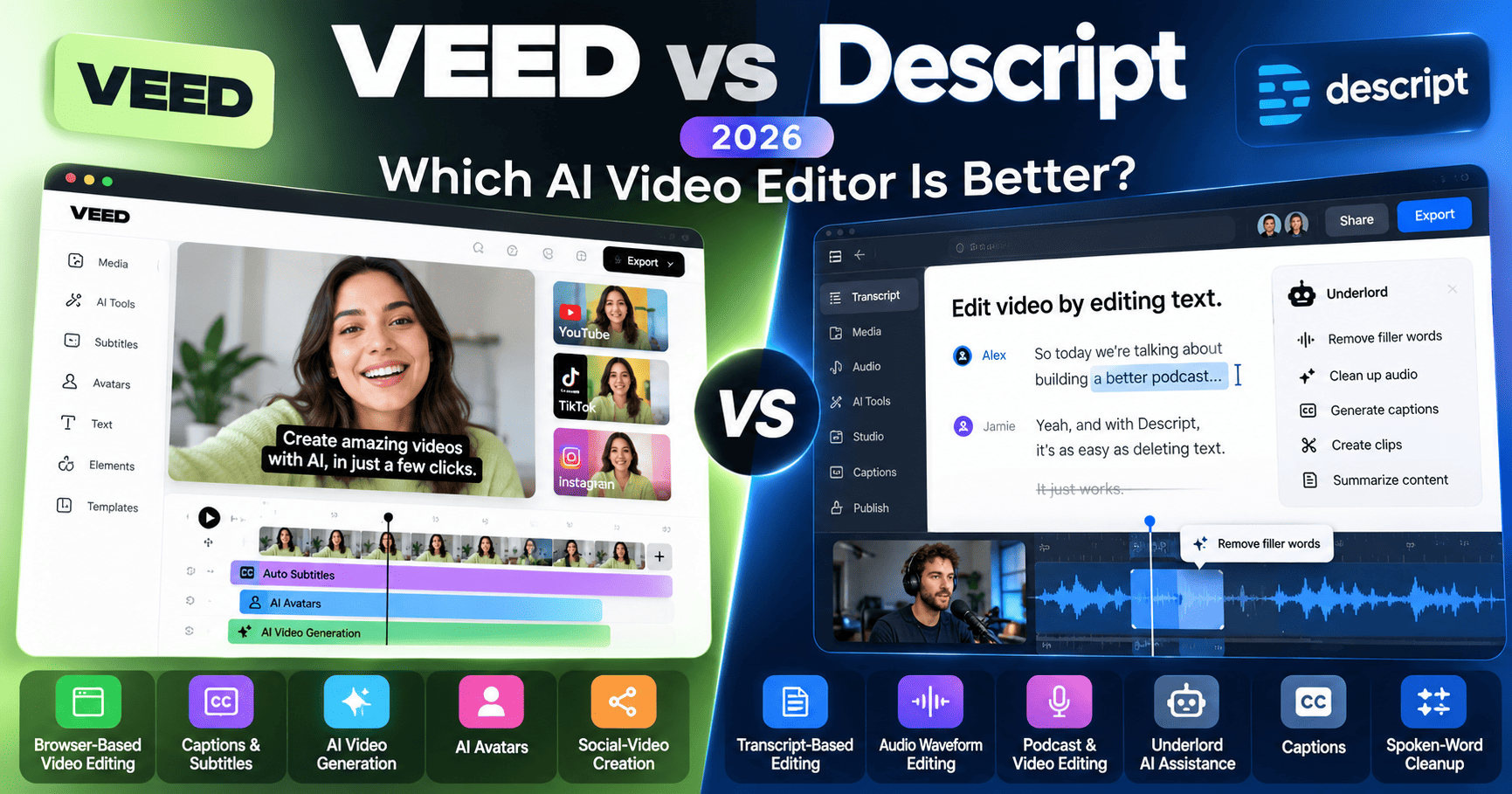
VEED and Descript are both AI-powered video editors, but they solve different creative problems. VEED is a browser-first visual editor with strong AI generation, avatars, subtitles, translation, templates, brand tools, and social-video workflows. Descript is built around text-based editing, transcript-first production, podcast and screen-recording workflows, and Underlord, its AI co-editor.
This VEED vs Descript 2026 comparison covers pricing, free plans, editing workflow, transcription, captions, AI tools, avatars, translation, audio cleanup, short-form repurposing, collaboration, export quality, and the tradeoffs that matter most to creators, marketers, podcasters, and teams.
Research note: pricing and product capabilities were rechecked against current official VEED and Descript sources in October 2026. VEED pricing can vary by billing cycle, region, and promotional context, while Descript meters usage through media hours and AI credits. Verify live plan details before purchasing.
VEED vs Descript 2026: Quick Comparison
| Area | VEED | Descript |
|---|---|---|
| Core approach | Browser-based visual video editor with AI generation, avatars, subtitles, translation, and templates | Transcript-first audio and video editor with text-based editing and Underlord AI co-editor |
| Free plan | Yes, with limited generation/export allowances and watermark restrictions | Yes, with 1 media hour/month and 100 one-time AI credits |
| Entry paid tier | Creator; VEED’s live pricing is dynamic, so check current checkout for exact pricing | Hobbyist: $16/person/month annually or $24 monthly |
| Editing style | Traditional visual/timeline editing in the browser | Edit audio and video by editing the transcript, with timeline support |
| AI generation | Text-to-video, image-to-video, avatars, AI images, AI voices, reels, scripts | Underlord, AI-generated video/images, custom avatars, clips, Studio Sound, filler removal |
| Transcription | Auto subtitles, transcription, translation, dubbing | Transcription in 25 languages, with media-hour limits by plan |
| 4K export | Plan-dependent; higher paid tiers support professional export workflows | Creator and Business support 4K |
| Best fit | Marketing, social, business video, AI-generated video, quick browser-based production | Podcasts, interviews, screen recordings, talking-head content, transcript-heavy editing |
Compare current video plans
Ready to compare pricing? Review the latest AI credits, exports, subtitles, translation, collaboration, avatars, and team features directly from each provider.
What Is VEED?
VEED is a browser-based video creation platform combining a visual editor with AI generation, avatars, subtitles, translation, voice tools, image generation, templates, brand tools, screen recording, and collaboration.
Its strongest appeal is breadth. A creator can generate content from text or images, edit footage on a timeline, add subtitles, translate it, apply brand assets, and repurpose it for social platforms without leaving the browser.
What Is Descript?
Descript is an audio and video editor built around transcription. Instead of treating the timeline as the primary editing surface, Descript lets users cut and rearrange media by editing the transcript like a document.
Its AI layer is centered on Underlord, an AI co-editor that can perform complex editing tasks, create clips, generate visuals, translate or dub content, work with slide decks, and assist with production workflows.
VEED vs Descript Pricing in 2026
Both platforms offer free plans, but their paid structures are different. VEED organizes access around Free, Creator, Pro, Studio, and Enterprise plans. Descript uses Free, Hobbyist, Creator, Business, and Enterprise, with media hours and AI credits acting as important usage limits.
| Platform / Plan | Current pricing reference | Selected current features |
|---|---|---|
| VEED Free | $0 | Free editor access, limited AI/subtitle allowances, watermark on some exports |
| VEED Creator | See live pricing | Watermark-free exports, up to 1080p, and additional creator features |
| VEED Pro | See live pricing | Advanced features and export up to 4K |
| VEED Studio | See live pricing | Small-team workflows with export up to 4K |
| VEED Enterprise | Custom | Advanced security, custom usage, support, team and brand controls |
| Descript Free | $0 | 1 media hour/month, 100 one-time AI credits, 720p export |
| Descript Hobbyist | $16/person/month annually; $24 monthly | 10 media hours/month, 400 AI credits, 1080p export, Underlord access |
| Descript Creator | $24/person/month annually; $35 monthly | 30 media hours, 800 AI credits, 4K export, full Underlord, stock library |
| Descript Business | $50/person/month annually; $65 monthly | 40 media hours, 1,500 AI credits, Brand Studio, translation/dubbing, custom avatars |
| Descript Enterprise | Custom | Custom media and AI limits, SSO, SCIM, audit logs, custom retention, dedicated support |
Pricing note: VEED’s public pricing experience is dynamic and can vary by region, billing cycle, and promotion. The figures above reflect current official VEED-published materials, but the live checkout should be treated as the final source of truth. Descript’s pricing page clearly distinguishes annual and monthly billing.
Free Plans Compared
VEED Free is useful for testing the browser editor, auto subtitles, and selected AI tools before paying. Free exports can include watermarks and AI or subtitle limits are tighter than on paid plans.
Descript Free includes one media hour per month, 100 one-time AI credits, transcription in 25 languages within the plan’s media allowance, and 720p export with a watermark. It is enough to understand the transcript-first workflow and test Underlord before moving to Hobbyist or Creator.
Visual Timeline Editing vs Transcript Editing
VEED feels closer to a conventional modern web video editor. Users work visually with a timeline, layers, text, effects, media, captions, and templates. That makes it intuitive for social video and marketing teams that think in scenes and visual composition.
Descript’s defining workflow is different: edit the transcript and the underlying audio or video changes with it. For interviews, podcasts, webinars, tutorials, and talking-head footage, this can dramatically reduce the time spent hunting through a timeline.
Underlord vs VEED AI
Descript’s Underlord is an AI co-editor. It can follow natural-language instructions, perform editing workflows, generate or customize social clips, translate or dub videos, work with slides, add transitions, create visuals, and help shape the final production.
VEED takes a broader AI-toolbox approach. Its current platform includes text-to-video, image-to-video, talking videos, avatars, AI image creation, AI voice generation, scripts, reels, dubbing, eye-contact correction, and automated editing tools.
The practical difference is workflow: Descript puts an AI agent inside the editing process, while VEED exposes a larger collection of generation and editing tools around a visual editor.
Transcription and Text-Based Editing
Descript is especially strong when transcription is the center of the workflow. Current plans support transcription in 25 languages, with media-hour allowances that vary by plan. Users can remove words from the transcript to edit the media directly.
VEED also supports transcription and video-to-text workflows, but transcription is more often one part of a broader visual-editing and subtitle pipeline rather than the entire editing model.
Captions and Subtitles
VEED has long emphasized automatic subtitles and visual caption styling. It also supports dynamic subtitles with animated, word-by-word presets and multilingual translation workflows.
Descript provides caption generation and styling directly from the transcript, including animated caption options and translation workflows. The advantage is that captions are naturally tied to the same text used for editing.
AI Avatars and Generated Video
VEED is stronger as a general-purpose AI-generation platform. It offers talking videos, AI avatars, text-to-video, image-to-video, AI images, and voice tools directly alongside the editor.
Descript also supports generated video and custom avatars, particularly on Creator and Business plans, but its product identity remains more focused on editing and repurposing existing recorded content.
Audio Cleanup
Descript’s Studio Sound is one of its signature features, designed to make spoken-word recordings sound more polished. Underlord can also remove filler words, repeated takes, and other verbal clutter.
VEED includes clean-audio and background-noise removal tools and is capable for routine cleanup, but Descript is particularly strong for podcast and spoken-word workflows where audio quality is central.
Short-Form Clips and Repurposing
Both platforms can repurpose long-form content into short clips. VEED provides AI clipping and social-video creation tools inside its broader creator suite.
Descript’s Underlord can identify clip-worthy moments and generate multiple social-ready compositions with captions, music, transitions, and vertical formatting. For podcast-to-social workflows, this is particularly useful.
Translation and Dubbing
VEED offers video translation, dubbing, subtitles, and voice-related tools as part of its multilingual content workflow. Higher paid tiers unlock more advanced translation and AI allowances.
Descript Business includes translation and dubbing in 30+ languages with proofread support, and Underlord can also handle translation or dubbing instructions conversationally.
Screen Recording and Podcast Workflows
VEED includes a browser-based screen recorder, webcam recording, and teleprompter, which is convenient for tutorials, presentations, demos, and social content.
Descript is particularly strong for podcast-style recording, interviews, screen recordings, and spoken-word production because recording flows directly into transcription, editing, audio cleanup, and repurposing.
Collaboration and Brand Controls
VEED supports team workspaces, collaboration, brand kits, shared templates, and enterprise controls. It is designed to help marketing and business teams maintain consistent visual output across many projects.
Descript Creator and Business add stronger collaboration capabilities, while Business includes team-wide Brand Studio. Enterprise adds SSO, SCIM, audit logs, custom retention, and organization-level AI controls.
Export Quality
Descript Free exports at 720p, Hobbyist at 1080p, and Creator and Business at 4K. That makes the upgrade path very clear for users who care about delivery resolution.
VEED supports professional high-definition export on paid plans, with exact resolution and AI limits depending on current plan and account configuration. Teams requiring a specific export resolution should verify the live VEED plan table before subscribing.
Browser vs Desktop Workflow
VEED is browser-first, making it convenient for users who want to start editing without installing desktop software and for teams working across different computers.
Descript provides dedicated desktop workflows and is especially comfortable for creators who spend long sessions editing podcasts, interviews, and recordings. The transcript-first model can feel more like working in a document editor than a traditional browser video tool.
VEED Pros and Tradeoffs
- Pros: Browser-based; broad AI generation; avatars; text-to-video; image-to-video; strong captions; translation; templates; brand tools; visual timeline; useful for marketing and social video.
- Tradeoffs: Public pricing presentation can vary by region and billing context; advanced AI allowances are plan-dependent; browser-first workflow may be less appealing to users who prefer a dedicated desktop editing environment.
Descript Pros and Tradeoffs
- Pros: Transcript-based editing; transcription in 25 languages; Underlord AI co-editor; Studio Sound; filler-word removal; podcast workflows; social clips; 4K on Creator and Business; clear media-hour and AI-credit limits.
- Tradeoffs: AI-heavy workflows consume credits; the text-first model may feel unusual for editors who prefer visual timeline control; Business becomes relatively expensive for multi-seat teams.
VEED Is a Strong Fit When…
- You want an all-in-one browser video editor.
- You create marketing, social, sales, or training videos.
- You want AI avatars and generation tools alongside manual editing.
- Captions, translation, templates, and brand controls matter.
- You work visually and prefer a conventional timeline-style interface.
- You want to create content without installing desktop software.
VEED looks like a fit? Check current Free, Creator, Pro, Studio, and Enterprise pricing, AI tools, subtitles, translation, avatars, and team features directly from VEED.
Descript Is a Strong Fit When…
- You edit podcasts, interviews, webinars, or talking-head videos.
- You want to edit video by editing text.
- Transcription and spoken-word cleanup are central to your workflow.
- You want Underlord to handle multi-step editing tasks.
- You regularly repurpose long-form recordings into social clips.
- You need Studio Sound, filler-word removal, or transcript-driven collaboration.
Descript looks like a fit? Compare current Free, Hobbyist, Creator, Business, and Enterprise limits, media hours, AI credits, 4K export, translation, avatars, and collaboration directly from Descript.
VEED vs Descript for YouTube
VEED is strong for visually driven YouTube production, templates, captions, thumbnails, AI-generated assets, and quick browser editing. It is a good fit when the final visual package matters as much as the spoken content.
Descript is especially effective for talking-head YouTube channels, interviews, tutorials, and commentary because transcript editing, Studio Sound, Underlord, and clip generation reduce the time spent cleaning and repurposing recorded footage.
VEED vs Descript for Podcasts
Descript has the more natural podcast workflow because audio, transcription, editing, filler removal, Studio Sound, show notes, and video podcast repurposing live in one transcript-centered environment.
VEED can edit podcast video and generate social clips, but its broader product identity is visual video creation rather than audio-first production.
VEED vs Descript for Marketing Teams
VEED is particularly attractive for marketing teams producing ads, social videos, training content, explainers, and brand-consistent assets across formats. Its generation tools and templates can shorten the path from idea to publish.
Descript is particularly attractive when the marketing engine starts with recorded conversations, webinars, demos, customer interviews, or podcasts that need to be edited and repurposed efficiently.
Alternatives to VEED and Descript
If neither platform matches your workflow, compare Descript vs CapCut 2026 for another editing comparison, Synthesia vs HeyGen 2026 for AI-avatar video, or read our Descript Review 2026.
VEED vs Descript 2026 FAQ
Which is cheaper, VEED or Descript?
Both offer free plans. VEED’s current web pricing is dynamic, and its help center lists Creator, Pro, Studio, and Enterprise paid tiers, so the live checkout is the best source for exact VEED pricing. Descript Hobbyist is currently $16 per person per month with annual billing or $24 monthly.
Do VEED and Descript have free plans?
Yes. VEED offers a free editor with limited AI, subtitle, and export allowances. Descript Free includes one media hour per month, 100 one-time AI credits, transcription in 25 languages within the plan’s media allowance, and 720p export with a watermark.
Which is better for transcript-based editing?
Descript is built specifically around transcript-based editing. Removing or rearranging text changes the underlying audio or video, making it especially efficient for interviews, podcasts, webinars, and talking-head recordings.
Which has more AI generation tools?
VEED offers a broader set of standalone generative tools including text-to-video, image-to-video, AI avatars, AI images, voices, scripts, and reels. Descript focuses its AI around Underlord and editing or repurposing workflows, while also supporting generated media and avatars.
Which is better for podcasts?
Descript is generally the more natural podcast-production environment because transcription, text editing, Studio Sound, filler removal, recording, and repurposing are tightly connected.
Does Descript support 4K export?
Yes. Descript Creator and Business currently support 4K export. Hobbyist supports 1080p and Free supports 720p.
Which is better for social media videos?
VEED is particularly strong for visual social-video creation, templates, captions, AI-generated assets, and browser-based editing. Descript is particularly strong when social clips are being repurposed from longer podcasts, interviews, or talking-head content.
VEED vs Descript 2026: Final Takeaway
VEED is particularly strong for creators and teams that want an all-in-one visual video platform with browser editing, AI generation, avatars, captions, translation, templates, and brand tools.
Descript is particularly strong for transcript-heavy video and audio workflows, podcasts, interviews, spoken-word cleanup, repurposing, and AI-assisted editing through Underlord.
The practical choice depends on how you prefer to work: choose based on whether your workflow begins with visual composition and generation or with recorded speech and transcript-driven editing.
Check live plan limits before choosing
AI credits, translation limits, export quality, avatar access, and team features can change. Verify the current pricing pages before subscribing.
Continue researching: Descript vs CapCut 2026 | Synthesia vs HeyGen 2026 | Descript Review 2026
Official resources: VEED pricing | VEED AI | VEED editing tools | Descript pricing | Descript features