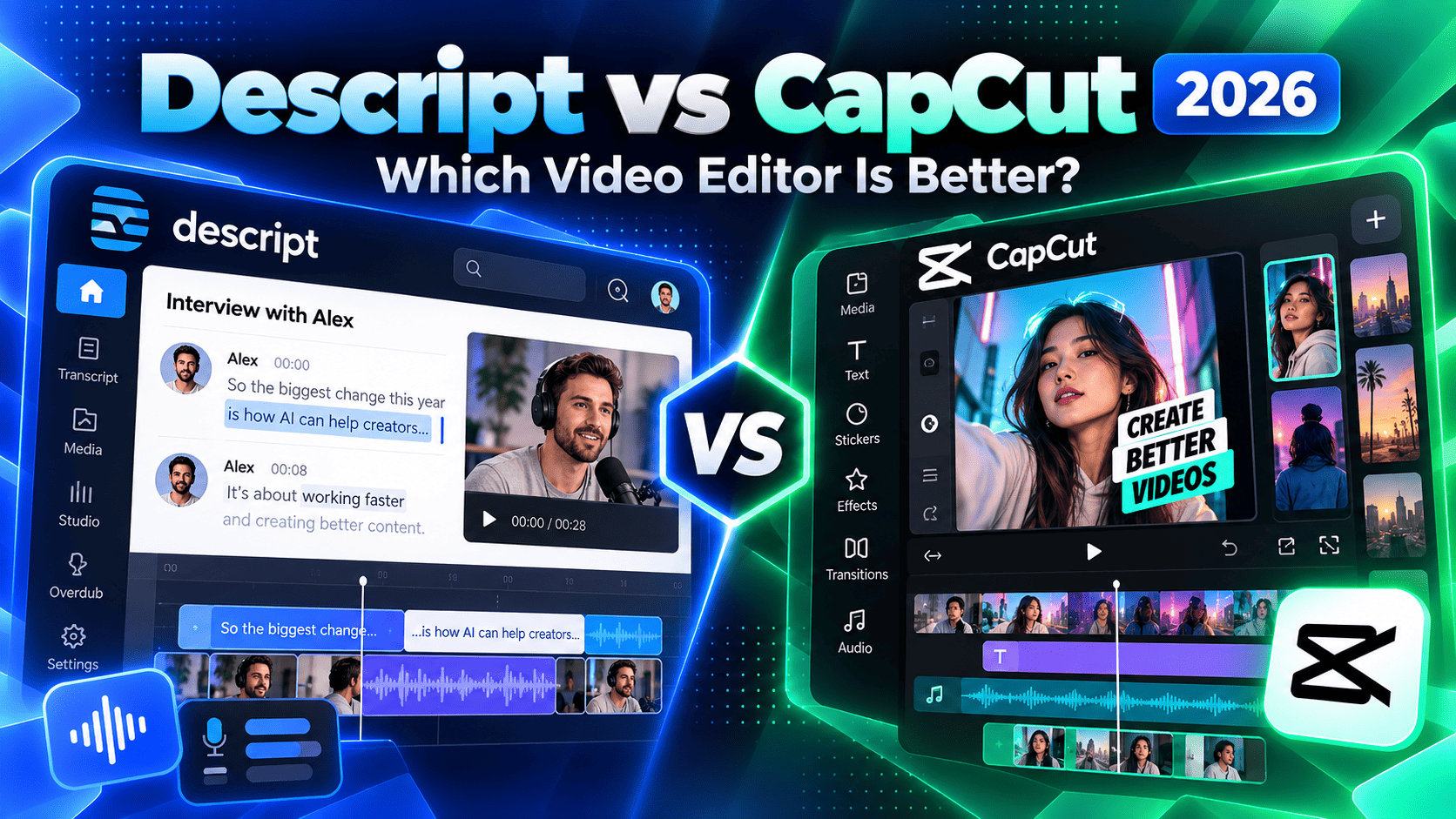
Descript and CapCut are both AI-powered video editors, but they are designed around very different creative workflows. Descript centers editing around transcripts, spoken content, AI-assisted cleanup, voice generation, and its Underlord co-editor. CapCut is a more traditional visual editor with a timeline, effects, templates, social-first tools, AI generation, background removal, auto captions, and strong mobile-to-desktop workflows.
This Descript vs CapCut 2026 comparison covers pricing, free access, editing workflow, transcription, captions, AI features, short-form video, audio cleanup, collaboration, mobile and desktop access, export quality, and the tradeoffs that matter most for creators, marketers, podcasters, and content teams.
Research note: pricing and product capabilities were checked against current official Descript and CapCut sources in September 2026. CapCut pricing varies by region, platform, taxes, and promotions, so its current checkout page should be treated as the final price reference.
Descript vs CapCut 2026: Quick Comparison
| Area | Descript | CapCut |
|---|---|---|
| Editing model | Transcript-first editing with a document-style workflow | Visual timeline editing across mobile, desktop, and web |
| Free access | Free plan with 1 media hour/month and limited AI | Free editor with paid Standard/Pro upgrades; feature access varies by plan/platform |
| Entry paid option | Hobbyist: $16/person/month billed annually | Standard and Pro pricing varies by region, device, billing cycle, taxes, and promotions |
| AI focus | Underlord co-editor, transcript editing, Studio Sound, filler removal, AI Speech, clips, avatars and generative media | AutoCut, long-video-to-shorts, captions, background removal, effects, templates, generative tools, and AI-assisted visual editing |
| Audio / podcast workflow | Particularly strong | Capable, but video-first |
| Short-form social video | Create Clips and AI-assisted repurposing | Very strong templates, effects, vertical editing, AutoCut, and social publishing workflow |
| Mobile | Primarily desktop/web-oriented editing workflow | Strong mobile app plus web and desktop |
| Collaboration | Team plans, shared projects and Brand Studio | Free limited collaboration plus paid Teams with shared storage, roles and brand kits |
| Best fit | Talking-head video, podcasts, interviews, webinars, tutorials and transcript-heavy content | Social video, Reels, Shorts, TikTok-style editing, visual storytelling and multi-device creation |
Compare current plans
Ready to compare plans? Review the latest media-hour limits, AI credits, export quality, cloud storage, and platform access directly from each provider.
What Is Descript?
Descript is an AI-powered audio and video editor that transcribes imported or recorded media and lets users edit the recording by editing text.
Its 2026 product direction is increasingly video-first, but transcription remains central to the experience. Descript combines transcript editing with multitrack media, screen recording, captions, Studio Sound, filler-word removal, AI Speech, voice cloning, generated video, avatars, clips, stock media, and an AI co-editor called Underlord.
For a broader platform analysis, see our Descript Review 2026.
What Is CapCut?
CapCut is a cross-platform video editor available on mobile, desktop, and the web. It combines traditional timeline editing with templates, effects, filters, transitions, text, captions, background removal, music, stock assets, AI generation, and automated editing tools.
CapCut is particularly prominent in short-form and social video workflows. Its AutoCut and long-video-to-shorts tools can detect scenes, create short clips, add captions, reframe content vertically, and provide a fast route from raw footage to publishable social content.
Descript vs CapCut Pricing in 2026
The pricing comparison is unusually important because the two companies structure subscriptions differently. Descript publishes clear per-person plan pricing, while CapCut now uses a dynamic subscription model where the final price can vary by region, platform, billing cycle, taxes, and promotions.
| Platform / Plan | Current pricing reference | Included usage / note |
|---|---|---|
| Descript Free | $0 | 1 media hour/month; limited Underlord and AI access |
| Descript Hobbyist | $16/person/month billed annually | 10 media hours; 400 AI credits; 1080p export; Underlord; AI Speech and core AI tools |
| Descript Creator | $24/person/month billed annually | 30 media hours; 800 AI credits; 4K export; full Underlord; 20+ AI tools; stock media |
| Descript Business | $50/person/month billed annually | 40 media hours; 1,500 AI credits; collaboration and Brand Studio features |
| CapCut Standard | Dynamic regional pricing | Lower-cost paid tier for everyday creators; feature access is narrower than Pro and can differ by platform |
| CapCut Pro | Dynamic regional pricing | Upgraded professional tier with 1,200 AI points, 1TB cloud storage and expanded premium editing features |
| CapCut Teams | Varies by region, seats and billing cycle | Shared workspace, collaboration, shared storage, brand kits and team management |
Pricing note: Descript currently advertises annual pricing of $16 for Hobbyist, $24 for Creator and $50 for Business per person/month. CapCut explicitly states that final subscription prices can vary by region, device, billing cycle, taxes and promotions, so the subscription screen in your account is the authoritative price.
Free Plans Compared
Descript Free includes one media hour per month and limited access to Underlord and AI tools. It is enough to test the transcript-first workflow before moving to a paid plan.
CapCut also provides substantial free editing access, although premium templates, advanced AI tools, cloud storage and some cross-platform benefits are gated behind Standard, Pro or Teams. CapCut’s current membership structure is more fluid than Descript’s, so feature availability should be checked inside the app or subscription page.
Editing Workflow: Transcript vs Timeline
The biggest difference is how editing feels. Descript turns spoken media into text and lets the editor cut, move or rewrite parts of a recording by editing the transcript. For interviews, tutorials, podcasts and talking-head videos, this can be much faster than scrubbing a timeline for every spoken sentence.
CapCut uses a more conventional visual timeline. Editors trim clips directly, layer media, add transitions, adjust timing, place text, use effects, animate elements, and work visually. This is more familiar for montage-heavy or design-heavy content where the visuals matter as much as the dialogue.
Transcription and Captions
Transcription is foundational to Descript. Imported media is transcribed automatically, and the transcript becomes both an editing interface and a source for captions, clips, searchable text and AI operations.
CapCut also offers auto captions and transcription tools, especially for social content. Its automated workflows can generate captions while turning long footage into shorts, and users can refine timing, text and style before export.
Descript has the stronger transcript-centric workflow. CapCut is stronger when captions are one visual element inside a broader social-video edit.
AI Editing: Underlord vs CapCut AI
Underlord is Descript’s AI co-editor. It can help plan, edit, revise and improve video while working with Descript’s transcript, media, audio and generative toolset. Paid plans expand access to Studio Sound, Remove Filler Words, Create Clips, AI Speech, generated media, avatars and other AI features.
CapCut distributes AI across the editor rather than centering it in one transcript-based assistant. Current tools include AutoCut, long-video-to-shorts, auto captions, background removal, generative media, automatic reframing and other visual creation features.
Descript’s AI is especially useful for spoken-content editing and editorial assistance. CapCut’s AI is particularly useful for accelerating visual production and social-first repurposing.
Audio Cleanup and Voice Editing
Descript is particularly strong for spoken audio. Studio Sound can improve recorded speech, filler-word removal cleans dialogue quickly, and AI Speech can generate or replace spoken words using synthetic voices and custom voice clones on eligible plans.
CapCut includes audio tools, voice effects, text-to-speech, music and sound assets, but audio restoration and transcript-linked voice editing are not the center of the product in the same way they are in Descript.
Short-Form Video and Social Content
CapCut has a major advantage for creators producing vertical social content. Its templates, effects, transitions, captions, stock resources, music tools and automated short-form workflows are designed around platforms such as TikTok, Instagram Reels and YouTube Shorts.
Descript can also repurpose long content through Create Clips and AI-assisted editing. This is particularly effective when the source material is a podcast, interview, webinar, tutorial or talking-head recording where the strongest moments can be identified from the transcript.
Background Removal and Visual Effects
CapCut offers automatic background removal, custom removal brushes, chroma key, filters, effects, transitions and extensive visual styling. It is designed for editors who want direct control over how every frame looks.
Descript includes Green Screen and other AI visual tools, but its workflow is less effect-driven. Its strongest advantage remains the ability to make meaningful editorial changes quickly without treating every cut as a manual timeline operation.
Mobile, Desktop, and Web Access
CapCut is built around a strong multi-device ecosystem. It is available on mobile, desktop and the web, and Pro is designed for creators who want premium capabilities across platforms. CapCut notes that its newer Standard subscription is primarily oriented toward mobile use, while PC premium access generally requires Pro.
Descript is better viewed as a desktop/web production workspace rather than a mobile-first social editor. That makes it a natural fit for creators who sit down to edit podcasts, interviews, tutorials, webinars, screen recordings and long-form video.
Export Quality
Descript Free currently limits export quality compared with paid plans. Hobbyist supports 1080p export, while Creator and higher tiers support 4K export.
CapCut supports configurable export resolution, quality, frame rate and format across supported versions, but exact premium export benefits can vary by platform and subscription. Creators should confirm the limits shown in their own app before choosing a plan.
Collaboration and Teams
Descript Creator can scale to a small team, while Business expands collaboration and Brand Studio capabilities. Descript’s team workflow is especially useful when multiple people review transcripts, edit recordings or maintain consistent branded content.
CapCut allows limited free collaboration in newly created spaces and offers paid Teams for larger groups. Teams adds shared cloud storage, role-based permissions, collaborative editing, brand templates and brand kits.
Descript Pros and Tradeoffs
- Pros: Transcript-first editing; strong transcription; Underlord; Studio Sound; filler-word removal; AI Speech; voice cloning; Create Clips; podcast and interview workflow; clear published pricing.
- Tradeoffs: Less mobile-first; fewer social templates and visual effects than CapCut; media hours and AI credits create usage limits; timeline-heavy visual edits can feel less natural than in a conventional editor.
CapCut Pros and Tradeoffs
- Pros: Strong mobile, desktop and web editing; social-first templates; AutoCut; long-video-to-shorts; captions; background removal; rich effects; large creative toolkit; strong visual editing workflow.
- Tradeoffs: Paid pricing is region- and platform-dependent; membership structure has changed; Standard and Pro benefits can differ by device; less specialized than Descript for transcript-led spoken-content editing.
Descript Is a Strong Fit When…
- You edit podcasts, interviews, webinars or talking-head videos.
- You want to edit video by editing text.
- Audio cleanup and spoken-word quality matter heavily.
- You want AI Speech or custom voice cloning.
- You regularly turn long spoken content into shorter clips.
- You prefer a desktop production workflow over a mobile-first editor.
Descript looks like a fit? Check current media-hour allowances, AI credits, Underlord access, export resolution, voice tools, and team limits directly from Descript.
CapCut Is a Strong Fit When…
- You produce Reels, Shorts, TikTok-style videos or fast social content.
- You want a visual timeline with templates, transitions and effects.
- You edit frequently on a phone as well as a computer.
- You want automated short-form creation from long footage.
- You use background removal, music, visual effects and social templates heavily.
- You prefer a traditional video editor with AI layered into the workflow.
CapCut looks like a fit? Check the current Standard and Pro options, AI points, cloud storage, cross-platform access, templates, and regional pricing directly from CapCut.
Descript vs CapCut for YouTube
Descript is particularly effective for YouTube videos built around speech: tutorials, commentary, educational videos, interviews and screen recordings. Editing mistakes through the transcript and cleaning audio can save substantial time.
CapCut is particularly effective when the channel relies on visual pacing, B-roll, transitions, effects, motion graphics, templates or a high volume of Shorts.
Descript vs CapCut for Podcasts
Descript is the more specialized option for podcast production because transcription, audio cleanup, multitrack editing and AI Speech are central to the product. Video podcasts also benefit from transcript-led cuts and automatic captions.
CapCut can edit podcast video and create promotional clips, but it is more naturally positioned as the visual repurposing layer than as the primary spoken-audio production environment.
Descript vs CapCut for Short-Form Content
CapCut is especially strong for short-form creators because the entire product is optimized around fast visual creation, templates, vertical formats, music, captions, effects and social-style editing.
Descript is compelling when short clips originate from longer spoken content. Create Clips and transcript-driven editing can reduce the work required to find and package the best moments from a podcast, webinar or interview.
Alternatives to Descript and CapCut
For other AI content workflows, compare ElevenLabs vs Murf 2026 for AI voice generation or Jasper vs Copy.ai 2026 for AI content platforms. You can also see our broader guide to the best AI content creation and automation tools.
Descript vs CapCut 2026 FAQ
Which is cheaper, Descript or CapCut?
Descript has clearer published pricing, with Hobbyist at $16 per person/month billed annually. CapCut does not publish one fixed global Pro price because the final cost can vary by region, platform, taxes, promotions and billing cycle. The CapCut subscription screen is therefore the best price reference for an individual user.
Does Descript have a free plan?
Yes. Descript Free currently includes one media hour per month and limited access to Underlord and AI tools, making it possible to test the text-based editing workflow without entering a paid subscription.
Can I use CapCut for free?
Yes. CapCut provides free editing functionality, while premium templates, advanced tools, cloud storage and some AI or cross-platform benefits require Standard, Pro or Teams depending on the feature and device.
Which is better for podcasts?
Descript is more specialized for podcasts because transcription, spoken-audio editing, Studio Sound, filler-word removal, multitrack workflows and AI Speech are central to the product.
Which is better for TikTok, Reels and Shorts?
CapCut is generally more naturally suited to fast short-form social production because of its mobile workflow, templates, effects, AutoCut, music tools, background removal and vertical-video ecosystem.
Does Descript support 4K export?
Yes. Descript Creator and higher tiers currently support 4K export, while Hobbyist supports 1080p.
Which is easier for beginners?
That depends on the content. Beginners editing spoken videos may find Descript easier because they can work through text. Beginners making visual social content may find CapCut easier because its templates, timeline and mobile interface resemble familiar social-creation tools.
Descript vs CapCut 2026: Final Takeaway
Descript is particularly well suited to creators who work with spoken content and want transcription, AI-assisted editing, strong audio cleanup, voice tools and fast repurposing from long recordings.
CapCut is particularly well suited to creators who want a visual, social-first editor with strong mobile access, templates, effects, automated short-form workflows and a broad set of visual AI tools.
The practical choice comes down to the editing model: favor Descript when words and speech drive the edit; favor CapCut when visual pacing, effects, templates and multi-device social creation drive the edit.
Check current plans before choosing
AI allowances, cloud storage, export limits, premium assets, and regional pricing can change. Review each provider’s latest subscription details before purchasing.
Continue researching: Descript Review 2026 | ElevenLabs vs Murf 2026 | Jasper vs Copy.ai 2026 | Best AI Content Creation and Automation Tools
Official resources: Descript pricing | Descript templates and product overview | CapCut Pro pricing guidance | CapCut membership changes | CapCut auto video editor | CapCut collaboration