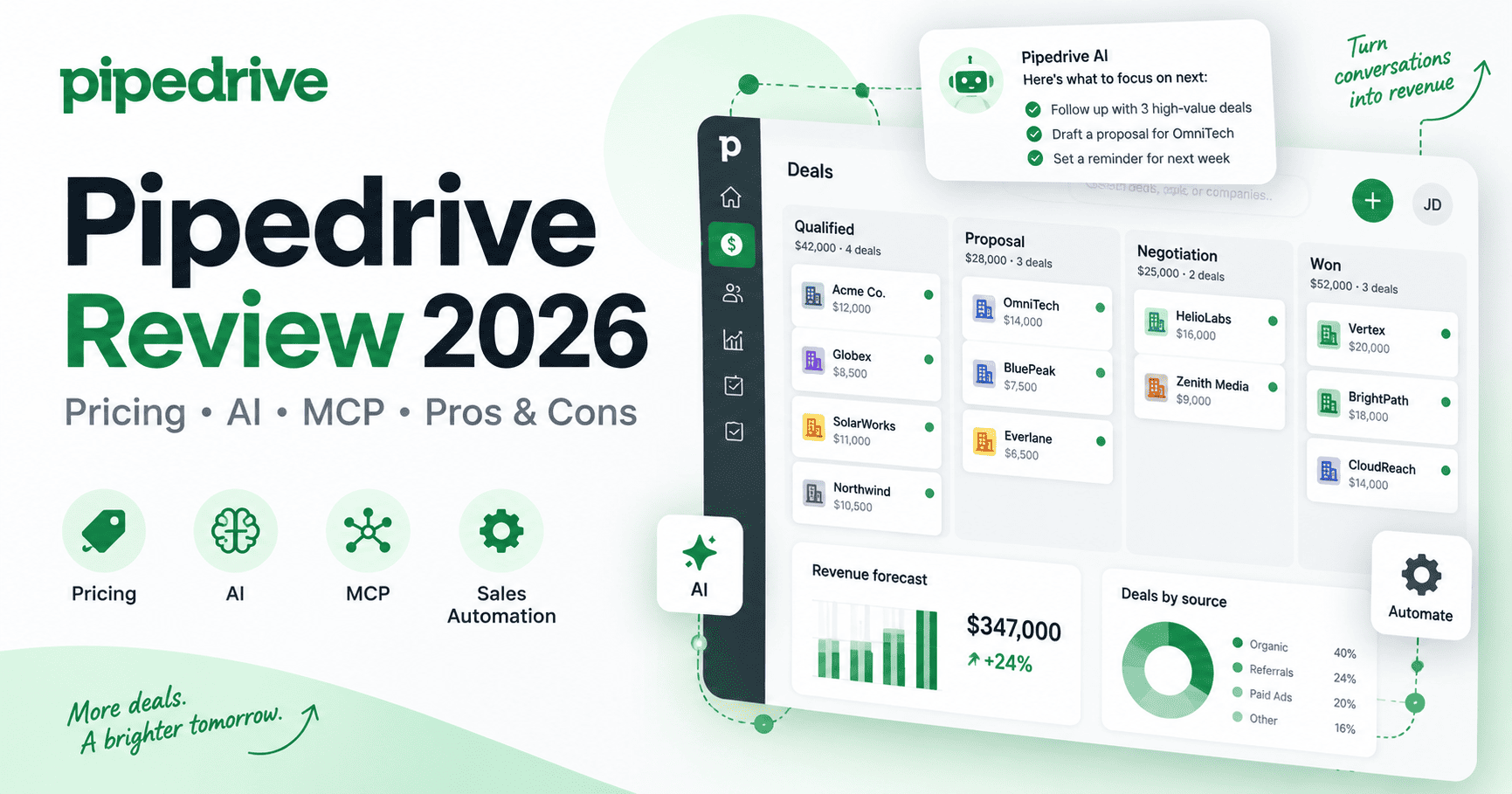
Pipedrive is a sales-focused CRM built around visual pipeline management, deal activity, automation, and straightforward day-to-day sales workflows. In 2026, the platform has expanded beyond traditional CRM features with built-in AI, meeting intelligence through Nova, AI-assisted reporting, email tools, and a native Model Context Protocol (MCP) server for connecting CRM data to compatible AI assistants.
This Pipedrive review 2026 examines current pricing, AI features, pipeline management, automation, integrations, MCP support, strengths, limitations, and the types of sales teams that are most likely to benefit from the platform.
Research note: this review is based on current Pipedrive pricing pages, product documentation, help-center materials, and official 2026 product announcements. Pricing, packaging, and feature availability can change, so confirm the latest details with Pipedrive before purchasing.
Pipedrive Review 2026: Quick Verdict
Pipedrive remains a practical CRM for small and mid-sized sales teams that want a clear visual pipeline without the complexity of a broader enterprise customer platform. Its biggest strengths are deal management, activity-based selling, automation, email workflows, forecasting, and an increasingly useful AI layer.
The platform is especially attractive for teams that want to move quickly from spreadsheets or a basic CRM into a more structured sales process. However, organizations that need a deeply integrated marketing, service, content, and CRM ecosystem may find a broader platform such as HubSpot CRM more suitable.
Best for: small and mid-sized sales teams that want a visual pipeline, strong follow-up discipline, email workflows, and approachable automation.
Less suitable for: companies that need a free-forever CRM, deep enterprise customization, or marketing, service, and content consolidated in one platform.
Check current plans
Considering Pipedrive? Review the latest plans, included features, and current pricing directly from the provider.
What Is Pipedrive?
Pipedrive is a web-based sales CRM designed to help teams manage leads, contacts, activities, deals, and revenue pipelines from one workspace. Its interface centers on visual deal stages, making it easy to see where opportunities are in the sales process and what actions should happen next.
The platform uses an activity-based selling approach: instead of focusing only on final outcomes, teams organize the calls, meetings, follow-ups, emails, and next steps that move deals through the pipeline.
Pipedrive currently offers four primary plans: Lite, Growth, Premium, and Ultimate. All plans are available with a 14-day free trial, and Pipedrive states that no credit card is required for the trial.
Pipedrive Pricing in 2026
Pipedrive changed its plan structure in 2025, replacing older names such as Essential, Advanced, Professional, Power, and Enterprise with the current Lite, Growth, Premium, and Ultimate tiers.
As of September 2026, Pipedrive lists the following U.S. prices when billed annually:
| Plan | Annual-billing price | Best suited for |
|---|---|---|
| Lite | $14 per seat/month | Small teams needing core lead, deal, calendar, pipeline, reporting, and integration tools |
| Growth | $39 per seat/month | Teams needing email sync, automations, nurturing sequences, scheduling, and forecasting |
| Premium | $59 per seat/month | Growing sales teams needing lead generation, routing, scoring, enrichment, AI email tools, contracts, and deeper customization |
| Ultimate | $79 per seat/month | Organizations needing advanced security, enrichment, sandbox testing, and extended support |
Pricing note: Prices and plan details may change. Confirm the latest terms with the provider before purchasing.
Pipedrive also offers paid add-ons. Current public pricing lists LeadBooster from $32.50, Projects from $16, Campaigns from $13.33, and Web Visitors from $41, depending on billing and account configuration.
If you want to estimate the real cost once seats and add-ons are included, use our CRM Total Cost Calculator.
For the latest pricing, check Pipedrive’s official pricing page.
Pipedrive Key Features
Visual Sales Pipelines
Pipedrive’s visual pipeline remains the core of the product. Sales teams can create stages that reflect their process, drag deals between stages, customize deal cards, add values and probabilities, and keep upcoming activities attached to each opportunity.
This design is useful for teams that need an immediate operational view of the pipeline without navigating through multiple layers of CRM configuration.
Contact, Lead, and Deal Management
Pipedrive organizes people, organizations, leads, and deals in connected records. Teams can import data, merge duplicates, create custom fields, maintain product catalogs, and associate activities with the appropriate sales opportunity.
Email Sync and Sales Communication
Growth and higher tiers add deeper email functionality, including full email sync, tracking, templates, bulk communication, and sales sequences. Premium also adds AI-powered email creation and other advanced email capabilities.
Automations and Sequences
Pipedrive can automate repetitive sales tasks such as follow-up activities, deal updates, notifications, and multi-step workflow actions. Growth adds automations and nurturing sequences, while higher tiers increase limits and provide more advanced configuration options.
Forecasting and Reporting
Pipedrive provides dashboards, Insights reports, forecasting, sales activity tracking, and AI-assisted report creation. Users can generate reports using natural-language text input rather than building every report manually.
Pipedrive AI in 2026
Pipedrive has expanded its AI capabilities significantly. AI features now cover data import, reporting, app recommendations, email communication, notifications, and sales assistance.
- AI import assistant: helps users move CRM data into Pipedrive.
- AI-assisted report creation: generates reports from natural-language requests.
- AI Marketplace search: helps find relevant integrations.
- AI smart-app recommendations: suggests apps based on usage and needs.
- Sales Assistant: provides AI-supported recommendations and sales context in beta.
- AI email creation: available on Premium and Ultimate.
- AI-powered notifications: helps prioritize deals and next actions on higher tiers.
- AI email summarization and suggested replies: available as beta functionality on higher plans.
Some AI functionality is available across all plans, while more advanced communication and notification tools are concentrated in Premium and Ultimate.
Pipedrive Nova: AI Meeting Intelligence
In September 2026, Pipedrive announced the general availability of Nova, its built-in AI meeting intelligence tool. Nova can prepare salespeople before meetings using CRM context, record and transcribe calls, and draft CRM updates after the conversation.
The practical benefit is reduced administrative work after meetings. Instead of manually reconstructing notes and updating records, sales reps can review and approve drafted CRM updates while keeping deal information more current.
Pipedrive MCP Server
Pipedrive also launched a native Model Context Protocol (MCP) server in June 2026. MCP allows compatible AI assistants to interact with live CRM data while respecting existing Pipedrive permissions.
According to Pipedrive, supported workflows include searching deals, contacts, organizations, and leads using natural language; creating and updating records; converting leads into deals; managing activities; and generating pipeline insights.
This makes Pipedrive particularly interesting for teams experimenting with AI-assisted CRM workflows. It also connects well with the broader automation ecosystem covered in our n8n review, Make review, and Zapier review.
Pipedrive Integrations
Pipedrive states that its Marketplace offers more than 500 integrations. These cover lead generation, communication, marketing, meetings, support, automation, contracts, and other revenue-cycle workflows.
Common integrations include tools such as Zapier, Google Meet, WhatsApp Business, Zoom, and other sales and productivity applications. Pipedrive also provides an API for organizations that need custom integrations.
Pipedrive Pros
- Clear visual pipeline: teams can understand deal status and next actions quickly.
- Sales-focused design: Pipedrive prioritizes practical sales activity instead of trying to be every type of business platform at once.
- Useful automation: Growth and higher plans support repetitive sales workflows, sequences, and follow-up processes.
- Growing AI capabilities: reporting, communication, recommendations, Nova, and MCP make the product more automation-friendly in 2026.
- Large integration ecosystem: 500+ integrations cover many common sales and productivity tools.
- Accessible entry price: Lite starts at $14 per seat/month on annual billing.
- 14-day trial: teams can test the product without entering a credit card.
Pipedrive Cons: What Are Its Biggest Limitations?
Pipedrive’s biggest limitations are the lack of a permanent free plan, higher-tier requirements for several important features, and add-on costs that can raise the total price as a team grows.
- No permanent free CRM tier: unlike some competitors, Pipedrive offers a trial rather than a free-forever CRM plan.
- Important features move up the pricing ladder: full email sync, automation, AI email tools, routing, and deeper customization require higher tiers.
- Add-ons can increase total cost: lead generation, projects, campaigns, and website visitor tools may add to the subscription.
- Less broad than an all-in-one customer platform: businesses seeking extensive marketing, service, content, and CRM functionality in one ecosystem may prefer a broader suite.
- Per-seat pricing scales with headcount: growing teams should model total user cost before committing.
Who Is Pipedrive Best For?
- Small and mid-sized sales teams that want a structured pipeline without an enterprise-style implementation.
- Businesses moving beyond spreadsheets that need deal visibility, activities, and follow-up discipline.
- Sales organizations using email heavily and looking for sequences, tracking, and workflow automation.
- Teams interested in AI-assisted sales workflows through reporting, Nova, recommendations, and MCP.
- Companies that rely on integrations and want to connect CRM activity with a broader software stack.
Pipedrive looks like a fit? Compare the current plans and verify which tier matches your team’s requirements.
Who Should Consider an Alternative?
Pipedrive may not be the strongest fit for businesses that want a free-forever CRM, organizations that need deep enterprise customization across many departments, or teams that want marketing, service, content management, and CRM consolidated under one broad customer platform.
It is also worth comparing total costs carefully if you expect to need Premium features plus several add-ons and a large number of seats.
Pipedrive vs HubSpot CRM
Pipedrive and HubSpot overlap in core CRM and sales functionality, but their product strategies are different.
| Area | Pipedrive | HubSpot CRM |
|---|---|---|
| Primary emphasis | Sales pipelines and activity-based selling | Broader customer platform spanning CRM, sales, marketing, service, content, and data |
| Free plan | 14-day free trial; no permanent free CRM tier | Free CRM available |
| Entry paid pricing | Lite from $14/seat/month annually | Varies by product and package |
| AI direction | Sales AI, Nova meeting intelligence, MCP, reporting, email tools | Breeze AI, agents, enrichment, Smart CRM, broader cross-Hub AI workflows |
| Best fit | Sales-focused SMB and mid-market teams | Teams wanting a broader customer platform |
For a detailed look at HubSpot, see our HubSpot CRM Review 2026.
Ease of Use and Setup
Pipedrive’s biggest usability advantage is that the core sales model is easy to understand. A team can import contacts, build pipeline stages, add deals, create activities, connect calendars and email, and start tracking opportunities without designing a complex CRM architecture first.
As the implementation grows, administration becomes more important. Teams should define pipeline stages, field naming, deal ownership, automation rules, reporting standards, and integration responsibilities early enough to avoid inconsistent CRM data later.
Pipedrive Security and Administration
Pipedrive provides account administration, permission controls, and security capabilities that increase with higher plans. Ultimate adds more advanced account security rules and alerts, along with sandbox testing for organizations that want to validate configuration changes before applying them to the live environment.
Regardless of plan, teams should also use strong passwords, two-factor authentication, carefully managed user permissions, and a documented process for connecting external integrations.
Pipedrive FAQ
Does Pipedrive have a free plan?
No permanent free CRM plan is currently listed. Pipedrive offers a 14-day free trial with no credit card required.
How much does Pipedrive cost in 2026?
On annual billing in the U.S., current public pricing starts at $14 per seat/month for Lite, $39 for Growth, $59 for Premium, and $79 for Ultimate. Optional add-ons can increase the total cost.
Does Pipedrive include AI?
Yes. Pipedrive includes AI-assisted reporting, data import, app discovery, sales assistance, and other AI functionality. Premium and Ultimate add advanced AI email and notification features. Pipedrive also offers Nova meeting intelligence and a native MCP server.
Does Pipedrive support MCP?
Yes. Pipedrive announced a native MCP server in June 2026, enabling compatible AI assistants to work with CRM data and actions while respecting existing permissions.
How many integrations does Pipedrive have?
Pipedrive currently advertises more than 500 integrations through its Marketplace.
Is Pipedrive Worth It in 2026?
Pipedrive is worth considering in 2026 for sales-focused teams that value pipeline clarity, follow-up discipline, email workflows, automation, and an approachable interface. The addition of Nova, AI-assisted reporting, AI email capabilities, and native MCP support makes the platform more relevant for teams building AI-assisted sales processes.
The key purchasing decision is not whether Pipedrive can manage a sales pipeline—it can—but which plan and add-ons are required for your workflow. Teams should calculate the cost of seats, email functionality, automation, lead generation, projects, campaigns, and any other required extensions before choosing a tier.
Pipedrive Review 2026: Final Takeaway
Pipedrive’s main strength is focus. It remains centered on the day-to-day work of moving opportunities through a sales pipeline while gradually adding automation and AI around that process.
For small and mid-sized sales teams that do not need a massive customer-platform ecosystem, that focus can be an advantage. For organizations that want marketing, service, content, and CRM deeply unified in one suite, a broader platform may be more appropriate.
Verify pricing before you choose
Pricing, limits, AI usage, and promotional offers can change. Review the latest plan details before making a purchase decision.
Official resources: Pipedrive pricing | Pipedrive AI | Pipedrive Marketplace