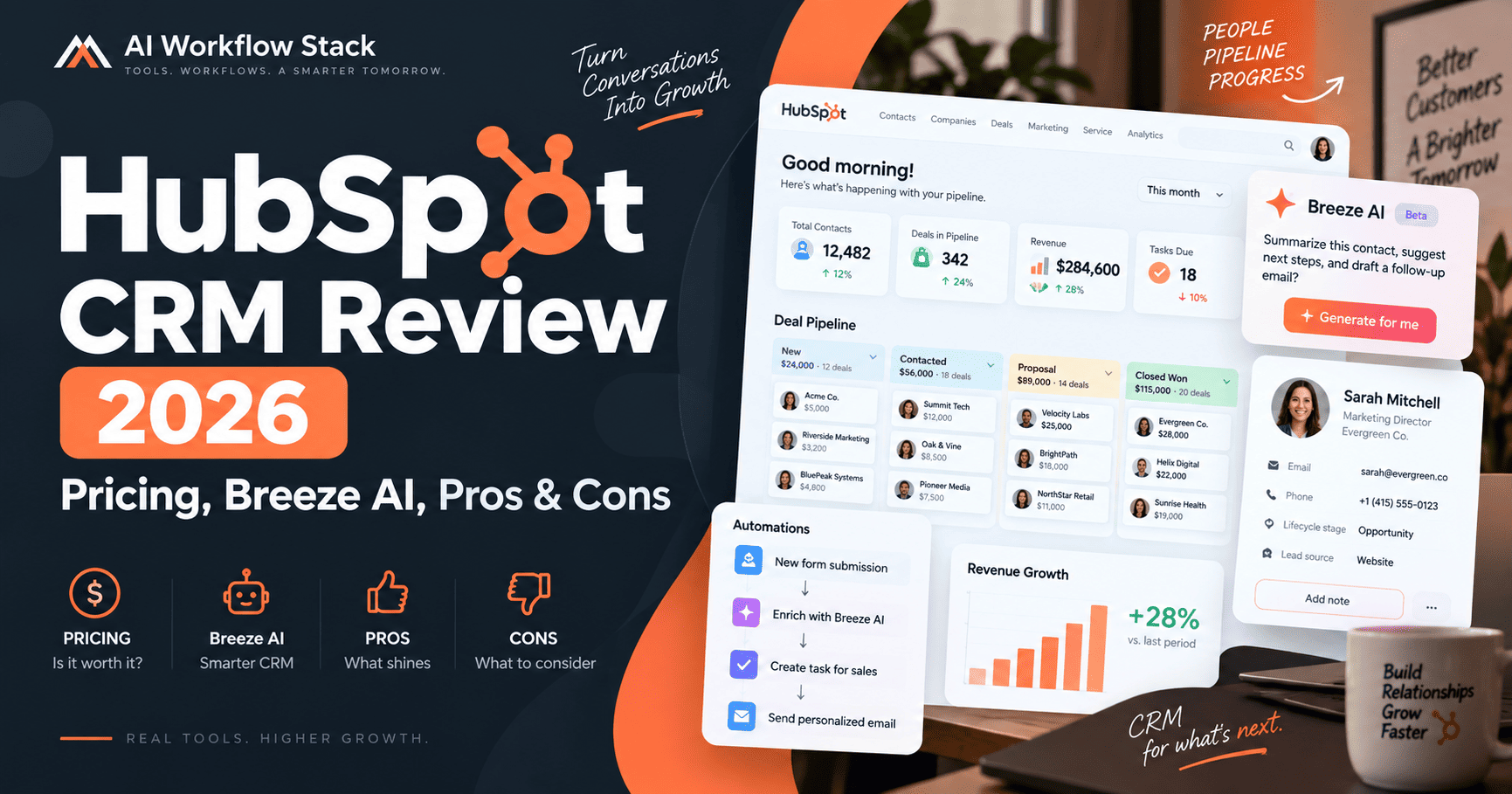
HubSpot CRM is one of the most recognizable customer relationship management platforms for small businesses, startups, and growing sales teams. In 2026, HubSpot is positioning its Smart CRM as more than a contact database: it combines customer data, sales activity, reporting, integrations, automation, and AI features such as Breeze Assistant and AI-powered data tools.
This HubSpot CRM review 2026 looks at the free plan, current pricing, AI capabilities, sales features, integrations, strengths, limitations, and the types of teams that are most likely to benefit from the platform.
Research note: this review is based on current HubSpot product pages, pricing documentation, help-center materials, and published feature information. Pricing and packaging can change, so confirm the latest details on HubSpot before purchasing.
HubSpot CRM Review 2026: Quick Verdict
HubSpot CRM is a strong option for businesses that want an easy entry point into CRM software without immediately committing to a large subscription. Its free tools cover core contact, deal, task, pipeline, meeting, and communication workflows, while paid plans add deeper automation, permissions, reporting, data management, and AI capabilities.
The biggest advantage is the broader HubSpot ecosystem. Sales, marketing, service, content, data, and revenue tools can all work around the same customer database. The main drawback is that costs can rise significantly as a business adds paid seats, advanced Hubs, marketing contacts, onboarding, and AI usage.
Check current plans
Considering HubSpot? Review the latest plans, included features, and current pricing directly from the provider.
What Is HubSpot CRM?
HubSpot CRM is the customer data layer behind HubSpot’s broader customer platform. It stores and organizes contacts, companies, deals, activities, tickets, and related business information so teams can manage customer relationships from one system.
HubSpot now refers to its premium CRM foundation as Smart CRM. The platform combines traditional CRM functions with AI-assisted data enrichment, reporting, automation, and connected customer context.
HubSpot’s free CRM can be used without a time-limited trial. According to HubSpot’s current documentation, the free account supports up to two users and up to 1,000 contacts.
HubSpot CRM Key Features
Contact and Company Management
HubSpot centralizes customer records so teams can view contact information, company details, activity history, email interactions, meetings, calls, notes, tasks, and associated deals from one place. This helps reduce the need to keep customer information scattered across spreadsheets and separate applications.
Deal Pipelines
Sales teams can create deals, move opportunities through pipeline stages, assign owners, track expected value, and monitor progress. The free tools are useful for straightforward sales pipelines, while more advanced plans add deeper customization, automation, forecasting, and governance.
Tasks, Meetings, and Sales Activity
HubSpot combines CRM records with sales productivity tools such as task management, meeting scheduling, email tracking, templates, and activity logging. This can make it easier for a small team to keep follow-ups attached to the correct customer record.
Reporting and Dashboards
HubSpot includes reporting dashboards that help teams monitor sales activity and customer data. More advanced reporting, calculated properties, custom reporting, and deeper analytics are generally tied to higher-tier subscriptions.
HubSpot Breeze AI and Smart CRM
AI has become a larger part of HubSpot’s product strategy in 2026. HubSpot’s Smart CRM includes AI-assisted capabilities designed to help teams understand and act on customer information rather than simply store it.
- Breeze Assistant: conversational AI integrated into HubSpot workflows and customer context.
- Data enrichment: helps add or update business information on contact and company records.
- Data Agent: can research questions using CRM data and connected information sources.
- AI insights: can surface relevant information, data quality issues, or next-step context.
- Duplicate detection: higher-tier CRM functionality can help identify and merge duplicate records.
- AI agents: selected HubSpot agents can perform specialized tasks and may consume HubSpot Credits.
HubSpot’s September 2026 product updates also expanded Breeze Assistant and the company’s agent-focused workflow strategy. The practical value of these features depends heavily on the quality and completeness of the data already stored in the CRM.
Some AI functions are included with subscriptions, while certain agents and actions use HubSpot Credits. That means businesses evaluating HubSpot should look beyond the base subscription price and consider expected AI usage as part of the total cost.
HubSpot CRM Pricing in 2026
HubSpot pricing can be confusing because Smart CRM is available through several HubSpot products and bundles, and promotional pricing can change. The table below provides a practical snapshot based on HubSpot’s current public CRM pricing information.
| Plan | Typical current pricing | Best for |
|---|---|---|
| Free CRM | $0 | Individuals and very small teams testing a CRM |
| Starter | Starts around $15 per seat/month on HubSpot’s CRM product page; promotions may be lower | Small businesses needing more control and fewer free-plan limits |
| Smart CRM Professional | About $45 per seat/month on annual billing or $50 monthly | Growing teams needing advanced reporting, data tools, and automation |
| Smart CRM Enterprise | Starts around $75 per seat/month | Larger organizations needing advanced customization and governance |
Pricing note: Prices and plan details may change. Confirm the latest terms with the provider before purchasing.
HubSpot also sells specialized Hubs for sales, marketing, service, content, data, and revenue. For example, Sales Hub has its own Free, Starter, Professional, and Enterprise pricing structure. Professional and Enterprise products may also include onboarding fees.
For the latest numbers, check HubSpot’s official Smart CRM pricing and Sales Hub pricing before subscribing.
What Do You Get With HubSpot Free CRM?
The free plan is one of HubSpot’s strongest acquisition advantages. It is not simply a short trial: the core free CRM can be used without an expiration date.
- Contact management
- Deal tracking and pipelines
- Task management
- CRM imports
- Reporting dashboard
- Meeting scheduling
- Email tracking and notifications
- Email templates
- Live chat
- Basic sales and marketing tools
- Breeze Assistant access within available free functionality
Current HubSpot documentation states that free accounts can have up to two users and 1,000 contacts. Businesses that outgrow those limits or need more sophisticated permissions, automation, data governance, or reporting will need to consider paid products.
HubSpot CRM Integrations
HubSpot has a large app ecosystem, with more than 2,000 apps and web services available through its marketplace according to current HubSpot product information. This makes it easier to connect the CRM with marketing, productivity, ecommerce, communication, and automation tools.
For broader workflow automation, HubSpot can also be connected with platforms such as Zapier, Make, and n8n. These tools can be useful when a workflow needs to move data between HubSpot and applications that are not fully covered by a native integration.
HubSpot CRM Pros
- Useful free plan: small teams can begin organizing contacts and deals without paying immediately.
- Broad customer platform: CRM data can connect with sales, marketing, service, content, and operations workflows.
- Beginner-friendly interface: HubSpot is generally designed to make common CRM tasks approachable for non-technical teams.
- Strong integration ecosystem: the marketplace covers a large number of common business applications.
- Growing AI layer: Breeze, enrichment, agents, and AI-assisted data tools are increasingly integrated into the CRM experience.
- Scales beyond basic CRM: businesses can add more advanced Hubs and enterprise-level capabilities as requirements grow.
HubSpot CRM Cons
- Pricing becomes complex: the total cost depends on seats, Hubs, editions, contacts, onboarding, credits, and optional add-ons.
- Advanced automation requires paid tiers: the free CRM is useful, but sophisticated workflows and reporting usually require upgrades.
- Marketing contact costs need attention: businesses using Marketing Hub should understand which contacts count toward billable marketing-contact tiers.
- Enterprise features can become expensive: teams needing large-scale customization, advanced governance, or multiple premium Hubs can face a significant monthly bill.
- AI credits add another usage layer: some AI-powered agents and actions can consume HubSpot Credits, so AI-heavy workflows should be budgeted carefully.
Who Is HubSpot CRM Best For?
HubSpot CRM is particularly attractive for businesses that want a CRM they can start using at low cost and expand over time.
- Startups and small businesses moving beyond spreadsheets.
- Sales teams that need contacts, pipelines, meetings, tasks, and follow-up tools in one system.
- Marketing and sales teams that want shared customer data instead of separate databases.
- Growing businesses that expect to add service, content, automation, or reporting capabilities later.
- Teams interested in AI-assisted CRM workflows without adopting a separate AI platform for every task.
HubSpot looks like a fit? Compare the current plans and verify which tier matches your team’s requirements.
Who Should Consider an Alternative?
HubSpot may be less attractive for organizations that already know they need highly specialized CRM customization at the lowest possible cost, or for teams that want a very simple CRM with predictable flat pricing and no broader customer-platform ecosystem.
Businesses with large databases and complex marketing requirements should model the full cost carefully before migrating, especially when paid marketing contacts, additional seats, onboarding, and premium Hubs are involved.
HubSpot CRM vs Sales Hub: What Is the Difference?
Smart CRM is the underlying customer-data system. Sales Hub builds on that CRM foundation with sales-specific capabilities for prospecting, pipeline management, outreach, sales automation, forecasting, call tools, and coaching.
A small business may be able to start with the free CRM and free sales tools. A growing sales organization may eventually need Sales Hub Professional or Enterprise for more advanced sales workflows.
Is HubSpot CRM Worth It in 2026?
HubSpot CRM remains a practical choice in 2026 for organizations that value ease of adoption, a strong free entry point, a broad integration ecosystem, and the ability to expand into sales, marketing, service, and AI-driven workflows on one platform.
The free plan makes HubSpot relatively easy to evaluate. The more important decision comes later: whether the value of paid automation, reporting, AI, and connected Hubs justifies the increasing subscription cost as the organization grows.
For a small team that wants to replace spreadsheets and build a more organized sales process, HubSpot’s free CRM is a reasonable place to start. For larger teams, the best approach is to map required seats, features, contacts, integrations, and AI usage before choosing a paid edition.
Ease of Use and Setup
One reason HubSpot is popular with smaller teams is that it does not require a complex implementation to begin using basic CRM functions. A business can import contacts, connect email, create a deal pipeline, add team members, and start logging customer activity without building a highly customized data model first.
That simplicity can change as the account grows. Once a company adds multiple Hubs, custom properties, automation, permission structures, reporting, and integrations, administration becomes more important. Larger teams should plan ownership of CRM configuration rather than treating HubSpot as a tool that will organize itself indefinitely.
Data Management, Permissions, and Security
HubSpot provides user permissions for controlling access to CRM records and tools. Higher tiers add more advanced governance capabilities, including features such as field-level permissions, team organization, single sign-on, audit controls, and sensitive-data functionality depending on the product and edition.
For small teams, the most important operational habit is still basic data hygiene: define who creates records, how properties are used, which contacts should be marketed to, and how duplicate or outdated information will be handled. AI can assist with enrichment and cleanup, but it does not remove the need for a clear CRM process.
HubSpot CRM Alternatives to Consider
No CRM is the best fit for every organization. Teams evaluating HubSpot should compare it with alternatives based on sales process complexity, automation requirements, customization needs, reporting, integrations, and total cost.
- Salesforce: often considered by larger organizations that need extensive CRM customization and enterprise sales infrastructure.
- Pipedrive: frequently evaluated by sales-focused teams that want a pipeline-centric CRM experience.
- Zoho CRM: can appeal to businesses that want a broad software suite and multiple pricing options.
- Freshsales: another option for teams looking for contact management, sales automation, and communication tools.
The best comparison is not simply the cheapest monthly price. Teams should calculate the features they will actually need after the first year, including automation, reporting, users, integrations, support, and any usage-based AI costs.
HubSpot CRM FAQ
Is HubSpot CRM really free?
Yes. HubSpot currently offers free CRM tools with no expiration date. The free account supports up to two users and 1,000 contacts, although advanced features and higher usage requirements require paid products.
Does HubSpot CRM include AI?
Yes. HubSpot has integrated AI throughout Smart CRM, including Breeze Assistant, enrichment, AI insights, and specialized agents. Availability depends on the product and subscription tier, and certain AI actions use HubSpot Credits.
Can HubSpot connect with automation platforms?
Yes. HubSpot has a large integration marketplace and can also connect with workflow automation platforms such as Zapier, Make, and n8n. This is useful when a business wants HubSpot to exchange data with other applications or trigger multi-step workflows.
Is HubSpot CRM good for a small business?
It can be a strong fit for small businesses that need to organize leads, contacts, deals, meetings, and follow-ups without a large upfront software commitment. The main consideration is whether the business expects to need paid automation, marketing, reporting, or additional seats as it grows.
HubSpot CRM Review 2026: Final Takeaway
HubSpot’s biggest strength is not a single CRM feature. It is the ability to connect customer data with a growing set of sales, marketing, service, content, automation, and AI tools while keeping the same underlying customer context.
The free CRM is compelling for small teams, while Smart CRM and the premium Hubs provide a path for more advanced requirements. The trade-off is pricing complexity, so businesses should evaluate the full platform cost rather than focusing only on the headline subscription price.
Verify pricing before you choose
Pricing, limits, AI usage, and promotional offers can change. Review the latest plan details before making a purchase decision.
Official resources: HubSpot CRM | HubSpot Smart CRM | Current pricing